Buy bild24.eu ?
We are moving the project
bild24.eu .
Are you interested in purchasing the domain
bild24.eu ?
domain@kv-gmbh.de · 0541-91531010
Buy bild24.eu ?
How do I fix error E40 on AEG Electrolux Lavamat 50?
Error E40 on an AEG Electrolux Lavamat 50 typically indicates a door lock issue. To fix this error, first, ensure that the door is properly closed and latched. If the door is closed correctly and the error persists, try resetting the machine by unplugging it for a few minutes and then plugging it back in. If the error continues to appear, it may be necessary to contact a professional technician for further assistance. **
How do you wire an E40 socket?
To wire an E40 socket, first make sure the power is turned off. Then, strip the insulation from the end of the electrical wires and connect the live wire to the center terminal of the socket and the neutral wire to the outer terminal. Finally, secure the wires in place and screw the socket into the fixture. It's important to follow the specific wiring instructions for your particular fixture and to ensure that all connections are secure before turning the power back on. **
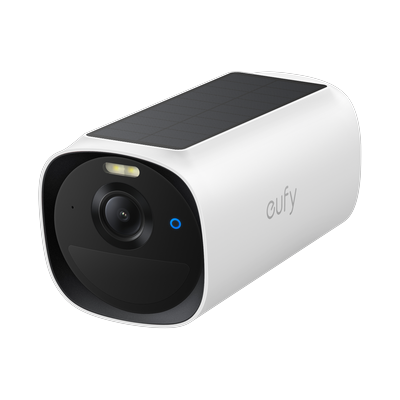

Similar search terms for EufyCam-E40-Add-On-Camera
Top-Angebote
Products related to EufyCam-E40-Add-On-Camera:
-
eufyCam S330 (eufyCam 3) Add-on Camera WhiteSee 4K Detail Day and Night: Spot tiny features on any potential trespasser (human or animal) with eufyCam S330—even at night. The Starlight photosensitive system enhances low light conditions for clarity in color. Forever* Power: eufyCam S330 is...129,99 $*Shipping: 0,00 $Secure redirect to the provider
-
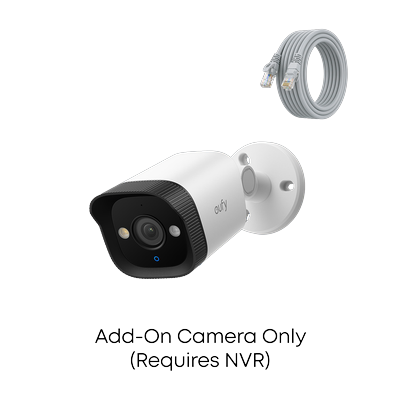
eufy Bullet PoE Cam E40 Add-OnThis PoE add-on Camera requires eufy Network Video Recorder S4 to operate. eufy Network Video Recorder S4 required for all eufy PoE Cams. 4K UHD and 122° Wide-Angle FOV: Experience stunning 4K Ultra HD resolution for incredibly sharp, lifelike video with a 122° field of view that offers extended coverage that's perfect for capturing dynamic environments in exceptional detail. Starlight Colour Night Vision: See the night in full daytime colour with AI-ISP (Image Signal Processing). If you need a clearer view, activate the spotlight and use HDR to prevent overexposure, for a picture crisp enough to read a number plate. Intelligent Detection: Automatically distinguish between people, pets, and vehicles to reduce false alerts by 99%, so you only get notified when it matters. Red and Blue Warning Lights: On-device AI expertly tracks intruders to defend your property and deters threats with smart sirens and red and blue lights to stop danger in its tracks. Clear Two-Way Audio: AI noise reduction filters out background noise for crystal-clear, distraction-free two-way communication. 24/7 Recording with PoE: A single PoE (Power over Ethernet) cable handles power and data for 24/7 recording, ultra-fast connection speeds, and easy setup that ensures always-on security. Note: PoE NVR, switch, injector, and DC adapter required (not included). Weatherproof: Withstands any weather with robust IP67 waterproofing for reliable monitoring in all conditions.74,99 £*Shipping: 0,00 £Secure redirect to the provider
-
eufy Baby Monitor E21 Add-On Camera eufy Baby Monitor E21 Add-On CameraFull Protection with Split-Screen Monitoring: Check in on your babies from anywhere at home, with or without Wi-Fi. Whether you're at work or traveling, stay connected through the app and share access with up to 5 family members for extra support....129,99 $*Shipping: 0,00 $Secure redirect to the provider
-
eufy PoE Bullet Security Camera E40Please note: The Add-on Camera is designed to work exclusively with eufy NVR S4 and cannot function on its own. 4K UHD & 122° WIDE-ANGLE FOV: Experience stunning 4K Ultra HD resolution for incredibly sharp, lifelike video, while the wide 122° Field...99,99 $*Shipping: 0,00 $Secure redirect to the provider


-
Is there an add-on camera with WLAN for the peephole?
Yes, there are add-on cameras with WLAN available for peepholes. These cameras can be easily installed on the existing peephole to provide a wireless connection for monitoring and recording activities outside the door. They offer features like live streaming, motion detection, and two-way audio communication, making them a convenient and secure option for home security. **
-
How do I fix the error E40 on AEG Electrolux Lavamat 50?
Error E40 on an AEG Electrolux Lavamat 50 indicates a door lock problem. To fix this error, first, make sure that the door is properly closed and latched. If the door is closed correctly and the error persists, try resetting the machine by unplugging it for a few minutes and then plugging it back in. If the error still appears, there may be a fault with the door lock mechanism, and it is recommended to contact a professional technician for further assistance. **
-
Is there an add-on camera with Wi-Fi for the peephole?
Yes, there are add-on cameras with Wi-Fi specifically designed for peepholes. These cameras can be easily installed on the inside of your door, allowing you to monitor who is at your door remotely through a smartphone app. They typically offer features such as motion detection, two-way audio, and night vision for added security and convenience. Some popular brands that offer these add-on cameras include Ring, Remo+, and Brinno. **
-
What is the error E40 in the Privileg Dynamic Duo 6720D?
Error E40 in the Privileg Dynamic Duo 6720D indicates a problem with the door lock. This error code typically means that the door is not closing properly or the door lock mechanism is faulty. To resolve this issue, you can try to ensure that the door is closed securely and check for any obstructions that may be preventing it from closing properly. If the problem persists, it may be necessary to replace the door lock mechanism. **
With which camera can one photograph ghosts?
There is no scientific evidence to support the existence of ghosts, so it is not possible to photograph them with any camera. While some people claim to have captured ghostly images on film or digital cameras, these are often the result of camera malfunctions, double exposures, or other natural phenomena. Therefore, there is no specific camera that can photograph ghosts. **
Can you stretch a canvas on an already stretched canvas frame?
Yes, it is possible to stretch a canvas on an already stretched canvas frame. This process is known as re-stretching and involves removing the existing canvas from the frame and replacing it with a new canvas. It is a common practice for artists who want to reuse a frame for a new artwork or for conservators who need to replace a damaged canvas. However, it is important to ensure that the frame is in good condition and suitable for re-stretching before attempting this process. **
Top-Angebote
Products related to EufyCam-E40-Add-On-Camera:
-
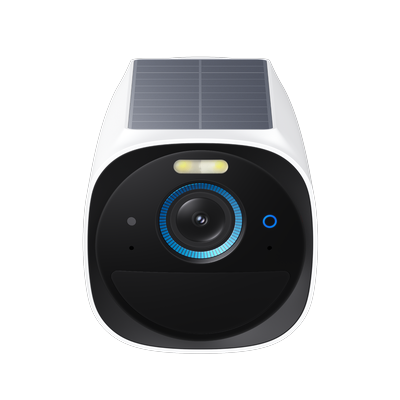
eufyCam E40 Add-On Camera Add-On CameraDay-Like Clarity at Night: Powered by 2K QHD and MaxColor Vision™, the camera delivers vivid, full-color surveillance footage. Enjoy a day-like view even in ultra-low light conditions. Solar-Powered for Non-Stop Security: SolarPlus™ 2.0 technology...89,99 $*Shipping: 0,00 $Secure redirect to the provider
-
Anker eufyCam E40 Add-on CameraDay-Like 2K Clarity at Night: Super-sharp Quad HD resolution and MaxColour Vision deliver vivid, full-colour surveillance footage so you enjoy a day-like view even in ultra-low light conditions. Stay Charged with Solar Power: SolarPlus 2.0 technology ensures non-stop security with efficient charging. Use the built-in panel or add an external panel to expand sunlight capture. The camera stays powered even on cloudy days or in partial shade. Store and Retain Power for Months: Equipped with a high-capacity, built-in 13,000mAh battery, the eufyCam E40 stays powered for longer, supporting months of use after the simple, wireless installation. Perfect for gardens, driveways, or remote areas. Advanced PIR for Enhanced Security: E40's upgraded passive infrared (PIR) sensor reliably detects motion to capture crucial events, ensuring optimal protection for your home. Seamless Smart Home Integration: Effortlessly connect your camera to Apple HomeKit, Alexa, and Google Assistant for hands-free control and convenient voice commands. Note: The eufyCam E40 add-on camera requires HomeBase S380 or HomeBase 2, which are not included.59,00 £*Shipping: 0,00 £Secure redirect to the provider
-
eufyCam S330 (eufyCam 3) Add-on Camera WhiteSee 4K Detail Day and Night: Spot tiny features on any potential trespasser (human or animal) with eufyCam S330—even at night. The Starlight photosensitive system enhances low light conditions for clarity in color. Forever* Power: eufyCam S330 is...129,99 $*Shipping: 0,00 $Secure redirect to the provider
-
eufy Bullet PoE Cam E40 Add-OnThis PoE add-on Camera requires eufy Network Video Recorder S4 to operate. eufy Network Video Recorder S4 required for all eufy PoE Cams. 4K UHD and 122° Wide-Angle FOV: Experience stunning 4K Ultra HD resolution for incredibly sharp, lifelike video with a 122° field of view that offers extended coverage that's perfect for capturing dynamic environments in exceptional detail. Starlight Colour Night Vision: See the night in full daytime colour with AI-ISP (Image Signal Processing). If you need a clearer view, activate the spotlight and use HDR to prevent overexposure, for a picture crisp enough to read a number plate. Intelligent Detection: Automatically distinguish between people, pets, and vehicles to reduce false alerts by 99%, so you only get notified when it matters. Red and Blue Warning Lights: On-device AI expertly tracks intruders to defend your property and deters threats with smart sirens and red and blue lights to stop danger in its tracks. Clear Two-Way Audio: AI noise reduction filters out background noise for crystal-clear, distraction-free two-way communication. 24/7 Recording with PoE: A single PoE (Power over Ethernet) cable handles power and data for 24/7 recording, ultra-fast connection speeds, and easy setup that ensures always-on security. Note: PoE NVR, switch, injector, and DC adapter required (not included). Weatherproof: Withstands any weather with robust IP67 waterproofing for reliable monitoring in all conditions.74,99 £*Shipping: 0,00 £Secure redirect to the provider
-
How do I fix error E40 on AEG Electrolux Lavamat 50?
Error E40 on an AEG Electrolux Lavamat 50 typically indicates a door lock issue. To fix this error, first, ensure that the door is properly closed and latched. If the door is closed correctly and the error persists, try resetting the machine by unplugging it for a few minutes and then plugging it back in. If the error continues to appear, it may be necessary to contact a professional technician for further assistance. **
-
How do you wire an E40 socket?
To wire an E40 socket, first make sure the power is turned off. Then, strip the insulation from the end of the electrical wires and connect the live wire to the center terminal of the socket and the neutral wire to the outer terminal. Finally, secure the wires in place and screw the socket into the fixture. It's important to follow the specific wiring instructions for your particular fixture and to ensure that all connections are secure before turning the power back on. **
-
Is there an add-on camera with WLAN for the peephole?
Yes, there are add-on cameras with WLAN available for peepholes. These cameras can be easily installed on the existing peephole to provide a wireless connection for monitoring and recording activities outside the door. They offer features like live streaming, motion detection, and two-way audio communication, making them a convenient and secure option for home security. **
-
How do I fix the error E40 on AEG Electrolux Lavamat 50?
Error E40 on an AEG Electrolux Lavamat 50 indicates a door lock problem. To fix this error, first, make sure that the door is properly closed and latched. If the door is closed correctly and the error persists, try resetting the machine by unplugging it for a few minutes and then plugging it back in. If the error still appears, there may be a fault with the door lock mechanism, and it is recommended to contact a professional technician for further assistance. **
Similar search terms for EufyCam-E40-Add-On-Camera
-
eufy Baby Monitor E21 Add-On Camera eufy Baby Monitor E21 Add-On CameraFull Protection with Split-Screen Monitoring: Check in on your babies from anywhere at home, with or without Wi-Fi. Whether you're at work or traveling, stay connected through the app and share access with up to 5 family members for extra support....129,99 $*Shipping: 0,00 $Secure redirect to the provider
-
eufy PoE Bullet Security Camera E40Please note: The Add-on Camera is designed to work exclusively with eufy NVR S4 and cannot function on its own. 4K UHD & 122° WIDE-ANGLE FOV: Experience stunning 4K Ultra HD resolution for incredibly sharp, lifelike video, while the wide 122° Field...99,99 $*Shipping: 0,00 $Secure redirect to the provider
-
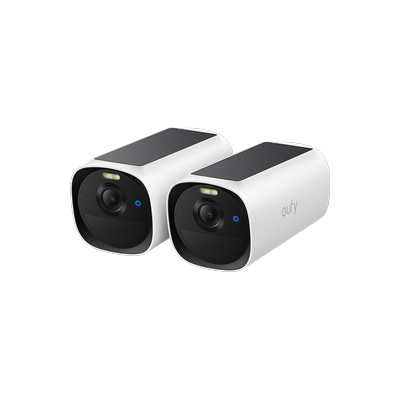
eufyCam E40 Add-On Camera (2 Pack) 2 PackDay-Like Clarity at Night: Powered by 2K QHD and MaxColor Vision™, the camera delivers vivid, full-color surveillance footage. Enjoy a day-like view even in ultra-low light conditions. Solar-Powered for Non-Stop Security: SolarPlus™ 2.0 technology...179,98 $*Shipping: 0,00 $Secure redirect to the provider
-
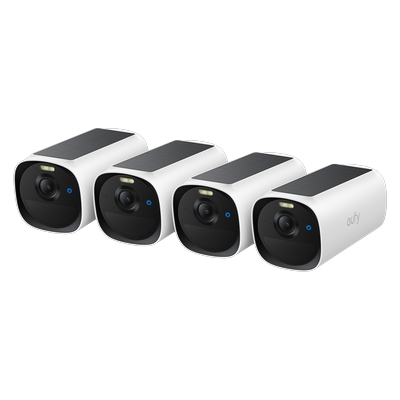
eufyCam E40 Add-On Camera (4 Pack) 4 PackDay-Like Clarity at Night: Powered by 2K QHD and MaxColor Vision™, the camera delivers vivid, full-color surveillance footage. Enjoy a day-like view even in ultra-low light conditions. Solar-Powered for Non-Stop Security: SolarPlus™ 2.0 technology...359,96 $*Shipping: 0,00 $Secure redirect to the provider
-
Is there an add-on camera with Wi-Fi for the peephole?
Yes, there are add-on cameras with Wi-Fi specifically designed for peepholes. These cameras can be easily installed on the inside of your door, allowing you to monitor who is at your door remotely through a smartphone app. They typically offer features such as motion detection, two-way audio, and night vision for added security and convenience. Some popular brands that offer these add-on cameras include Ring, Remo+, and Brinno. **
-
What is the error E40 in the Privileg Dynamic Duo 6720D?
Error E40 in the Privileg Dynamic Duo 6720D indicates a problem with the door lock. This error code typically means that the door is not closing properly or the door lock mechanism is faulty. To resolve this issue, you can try to ensure that the door is closed securely and check for any obstructions that may be preventing it from closing properly. If the problem persists, it may be necessary to replace the door lock mechanism. **
-
With which camera can one photograph ghosts?
There is no scientific evidence to support the existence of ghosts, so it is not possible to photograph them with any camera. While some people claim to have captured ghostly images on film or digital cameras, these are often the result of camera malfunctions, double exposures, or other natural phenomena. Therefore, there is no specific camera that can photograph ghosts. **
-
Can you stretch a canvas on an already stretched canvas frame?
Yes, it is possible to stretch a canvas on an already stretched canvas frame. This process is known as re-stretching and involves removing the existing canvas from the frame and replacing it with a new canvas. It is a common practice for artists who want to reuse a frame for a new artwork or for conservators who need to replace a damaged canvas. However, it is important to ensure that the frame is in good condition and suitable for re-stretching before attempting this process. **
* All prices are inclusive of VAT and, if applicable, plus shipping costs. The offer information is based on the details provided by the respective shop and is updated through automated processes. Real-time updates do not occur, so deviations can occur in individual cases. ** Note: Parts of this content were created by AI.