Buy bild24.eu ?
We are moving the project
bild24.eu .
Are you interested in purchasing the domain
bild24.eu ?
domain@kv-gmbh.de · 0541-91531010
Buy bild24.eu ?
How can I disable SSL?
To disable SSL, you can do so by modifying the configuration settings in your web server or application. In Apache, for example, you can edit the SSL configuration file to disable SSL by removing or commenting out the SSL related directives. In other web servers or applications, you can look for similar SSL configuration settings and disable them accordingly. Keep in mind that disabling SSL may have security implications, so it's important to carefully consider the reasons for doing so and to implement alternative security measures if necessary. **
Can FileZilla be used without SSL?
Yes, FileZilla can be used without SSL. When setting up a connection in FileZilla, you have the option to choose whether to use SSL/TLS or not. If you choose not to use SSL, your connection will be unencrypted and potentially less secure, but it is still possible to transfer files without SSL. However, it is generally recommended to use SSL/TLS for secure file transfers. **

Similar search terms for Ssl
Top-Angebote
Products related to Ssl:
-
Bronzhaus Signed Original Artwork By Fisher Wild Horse Bronze Sculpture Figurine Statue DecorCondition: This sculpture is in perfect condition Bronze Dimensions with Marble Base: Height 9 inches X Width 13 inches Marble Dimensions: Diameter 9 inches Height without base:8 inches Weight:11 LBS Inventory:14YDW2726141 Original or Reproduction:…338,49 $*Shipping: 0,00 $Secure redirect to the provider
-
Textured Watercolour Teacups Wall Art / Print with Gold Frame - 40cm x 50cm Wood, Canvas, MetalThis Textured Watercolour Teacups Wall Art with Gold Frame 40cm x 50cm is a beautiful, colourful vintage style wall decor choice, ideal for fans of colourful finishes and textured displays. Made of wood, glass and paper, this wall picture has a blue, white and orange colour with a textured watercolour finish. A lovely wall print for placement in an office, hallway, library or living room space. A great choice for those with vintage, eclectic or farmhouse inspired interior spaces. A lovely gift for friends and family! Part of a large collection of Wall Art in a wide array of sizes, colours and finishes. Want to see more items like this? Browne our Home Accessories Category for more options.16,95 £*Shipping: 4,95 £Secure redirect to the provider
-
Bronzhaus 100 Percent Solid Bronze Fortuna Roman Of Fortune Statue Hot Cast Signed Artwork DecorCondition: This sculpture is in perfect condition Bronze Dimensions with Marble Base: Height 14 inches X Width 4.5 inches Marble Dimensions:4.5 inches X 4 inches Height without base:13 inches Weight:8 LBS Inventory:78STE2404287 Original or...252,99 $*Shipping: 0,00 $Secure redirect to the provider
-
Ashley Monochrome Canvas with Black FrameLevel up your home with the captivating Ashley Monochrome Canvas Art. Encased in a sleek black frame, this canvas narrates a visual symphony. The landscape motif, rendered in monochrome finesse, radiates modern elegance. Its bold strokes and subtle shades converge, creating a timeless masterpiece. Dimensions: W80 x D4 x H60cm89,10 £*Shipping: 4,99 £Secure redirect to the provider


-
Why are images not displayed after SSL?
Images may not be displayed after enabling SSL (Secure Sockets Layer) on a website due to mixed content issues. When a website is loaded over HTTPS, all resources on that page, including images, should also be loaded securely. If the images are linked using HTTP instead of HTTPS, modern browsers may block them from loading to protect the security and privacy of the users. To resolve this issue, all image URLs should be updated to use HTTPS to ensure they are displayed correctly on SSL-enabled websites. **
-
How does SSL encryption work at Strato?
At Strato, SSL encryption works by securing the connection between the user's web browser and the Strato server. When a user accesses a website hosted by Strato, the SSL certificate ensures that the data transmitted between the user's browser and the server is encrypted, making it difficult for unauthorized parties to intercept and read the information. This encryption process helps to protect sensitive data such as login credentials, personal information, and financial transactions. Strato uses industry-standard SSL/TLS protocols to ensure the security and privacy of its users' data. **
-
Why doesn't the Piaggio Zip SSL start?
There could be several reasons why the Piaggio Zip SSL doesn't start. It could be due to a dead battery, a faulty ignition system, a clogged fuel filter, or a problem with the spark plug. It's also possible that there is an issue with the fuel system, such as a clogged carburetor or a fuel line blockage. It's best to troubleshoot the specific issue by checking these components and consulting a mechanic if necessary. **
-
Why is no SSL certificate displayed at Strato?
Strato may not display an SSL certificate because they may not offer SSL certificates as part of their hosting packages. Alternatively, they may offer SSL certificates as an optional add-on that the website owner has not purchased or activated. It is also possible that the website owner has not properly configured or installed an SSL certificate on their website. Without an SSL certificate, the website may be flagged as insecure by browsers, potentially leading to security risks and loss of trust from visitors. **

What is the meaning of SSL error 2?
SSL error 2 typically indicates that the server certificate is not valid. This could be due to a variety of reasons such as the certificate being expired, the certificate not being issued by a trusted certificate authority, or the certificate not being properly installed on the server. When this error occurs, it means that the SSL/TLS handshake process cannot be completed because the server's certificate is not considered valid by the client's browser or application. This can result in the connection being terminated and the SSL error 2 being displayed to the user. **
How do I fix the GitLab SSL error?
To fix the GitLab SSL error, you can try the following steps: 1. Check the SSL certificate: Make sure that the SSL certificate installed on the GitLab server is valid and not expired. You can use SSL checker tools to verify the certificate. 2. Update GitLab configuration: Ensure that the GitLab configuration file (gitlab.rb) has the correct SSL settings, including the certificate and key file paths. 3. Restart GitLab services: After making any changes to the SSL configuration, restart the GitLab services to apply the changes. 4. Verify SSL settings: Use SSL testing tools to verify that the SSL configuration is correct and there are no errors. By following these steps, you can troubleshoot and fix the SSL error in GitLab. If the issue persists, you may need to seek further assistance from GitLab support or community forums. **
Top-Angebote
Products related to Ssl:
-
Bronzhaus Ram Head 3-D Painting Canvas Classic Artwork Metal Sculpture Figurine Home DecorApplication: Great inspirational art for wall decor: Perfect choice for wall decor such as living room, bedroom, bathroom, dinning room, hallway, nurseries, coffee house, condo house, hotels, inn, restaurant and other spaces of home, office, business,…299,99 $*Shipping: 0,00 $Secure redirect to the provider
-
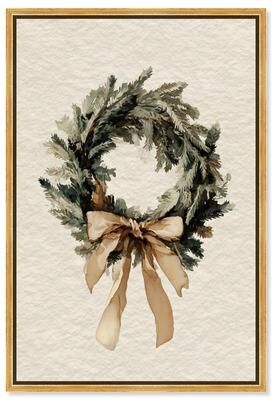
Doorway Delight Christmas Wall Decor Canvas Print by Art RemedyRevitalize any space with Art Remedy's carefully curated collection of canvas prints. Each giclee print is a unique masterpiece, utilizing premium fade-resistant inks to ensure rich colors and sharp details, and arrives ready to hang.161,99 $*Shipping: 0,00 $Secure redirect to the provider
-
Bronzhaus Signed Original Artwork By Fisher Wild Horse Bronze Sculpture Figurine Statue DecorCondition: This sculpture is in perfect condition Bronze Dimensions with Marble Base: Height 9 inches X Width 13 inches Marble Dimensions: Diameter 9 inches Height without base:8 inches Weight:11 LBS Inventory:14YDW2726141 Original or Reproduction:…338,49 $*Shipping: 0,00 $Secure redirect to the provider
-
Textured Watercolour Teacups Wall Art / Print with Gold Frame - 40cm x 50cm Wood, Canvas, MetalThis Textured Watercolour Teacups Wall Art with Gold Frame 40cm x 50cm is a beautiful, colourful vintage style wall decor choice, ideal for fans of colourful finishes and textured displays. Made of wood, glass and paper, this wall picture has a blue, white and orange colour with a textured watercolour finish. A lovely wall print for placement in an office, hallway, library or living room space. A great choice for those with vintage, eclectic or farmhouse inspired interior spaces. A lovely gift for friends and family! Part of a large collection of Wall Art in a wide array of sizes, colours and finishes. Want to see more items like this? Browne our Home Accessories Category for more options.16,95 £*Shipping: 4,95 £Secure redirect to the provider
-
How can I disable SSL?
To disable SSL, you can do so by modifying the configuration settings in your web server or application. In Apache, for example, you can edit the SSL configuration file to disable SSL by removing or commenting out the SSL related directives. In other web servers or applications, you can look for similar SSL configuration settings and disable them accordingly. Keep in mind that disabling SSL may have security implications, so it's important to carefully consider the reasons for doing so and to implement alternative security measures if necessary. **
-
Can FileZilla be used without SSL?
Yes, FileZilla can be used without SSL. When setting up a connection in FileZilla, you have the option to choose whether to use SSL/TLS or not. If you choose not to use SSL, your connection will be unencrypted and potentially less secure, but it is still possible to transfer files without SSL. However, it is generally recommended to use SSL/TLS for secure file transfers. **
-
Why are images not displayed after SSL?
Images may not be displayed after enabling SSL (Secure Sockets Layer) on a website due to mixed content issues. When a website is loaded over HTTPS, all resources on that page, including images, should also be loaded securely. If the images are linked using HTTP instead of HTTPS, modern browsers may block them from loading to protect the security and privacy of the users. To resolve this issue, all image URLs should be updated to use HTTPS to ensure they are displayed correctly on SSL-enabled websites. **
-
How does SSL encryption work at Strato?
At Strato, SSL encryption works by securing the connection between the user's web browser and the Strato server. When a user accesses a website hosted by Strato, the SSL certificate ensures that the data transmitted between the user's browser and the server is encrypted, making it difficult for unauthorized parties to intercept and read the information. This encryption process helps to protect sensitive data such as login credentials, personal information, and financial transactions. Strato uses industry-standard SSL/TLS protocols to ensure the security and privacy of its users' data. **
Similar search terms for Ssl
-
Bronzhaus 100 Percent Solid Bronze Fortuna Roman Of Fortune Statue Hot Cast Signed Artwork DecorCondition: This sculpture is in perfect condition Bronze Dimensions with Marble Base: Height 14 inches X Width 4.5 inches Marble Dimensions:4.5 inches X 4 inches Height without base:13 inches Weight:8 LBS Inventory:78STE2404287 Original or...252,99 $*Shipping: 0,00 $Secure redirect to the provider
-
Ashley Monochrome Canvas with Black FrameLevel up your home with the captivating Ashley Monochrome Canvas Art. Encased in a sleek black frame, this canvas narrates a visual symphony. The landscape motif, rendered in monochrome finesse, radiates modern elegance. Its bold strokes and subtle shades converge, creating a timeless masterpiece. Dimensions: W80 x D4 x H60cm89,10 £*Shipping: 4,99 £Secure redirect to the provider
-
Evangeline Gold Abstract Textured Canvas in Gold FrameThe Evangeline Gold Abstract Textured Canvas in Gold Frame is a striking statement piece for any interior. Featuring rich golden accents against soft neutral tones, the textured design creates depth and sophistication. Housed in a sleek gold frame, it blends luxury with modern elegance. Perfect for living rooms, bedrooms, or hallways, this canvas adds warmth, light, and refined style to your space. A timeless artwork that elevates your décor with its radiant and contemporary appeal. Dimensions: W 80 x D 4 x H 120cm197,10 £*Shipping: 4,99 £Secure redirect to the provider
-
Why doesn't the Piaggio Zip SSL start?
There could be several reasons why the Piaggio Zip SSL doesn't start. It could be due to a dead battery, a faulty ignition system, a clogged fuel filter, or a problem with the spark plug. It's also possible that there is an issue with the fuel system, such as a clogged carburetor or a fuel line blockage. It's best to troubleshoot the specific issue by checking these components and consulting a mechanic if necessary. **
-
Why is no SSL certificate displayed at Strato?
Strato may not display an SSL certificate because they may not offer SSL certificates as part of their hosting packages. Alternatively, they may offer SSL certificates as an optional add-on that the website owner has not purchased or activated. It is also possible that the website owner has not properly configured or installed an SSL certificate on their website. Without an SSL certificate, the website may be flagged as insecure by browsers, potentially leading to security risks and loss of trust from visitors. **
-
What is the meaning of SSL error 2?
SSL error 2 typically indicates that the server certificate is not valid. This could be due to a variety of reasons such as the certificate being expired, the certificate not being issued by a trusted certificate authority, or the certificate not being properly installed on the server. When this error occurs, it means that the SSL/TLS handshake process cannot be completed because the server's certificate is not considered valid by the client's browser or application. This can result in the connection being terminated and the SSL error 2 being displayed to the user. **
-
How do I fix the GitLab SSL error?
To fix the GitLab SSL error, you can try the following steps: 1. Check the SSL certificate: Make sure that the SSL certificate installed on the GitLab server is valid and not expired. You can use SSL checker tools to verify the certificate. 2. Update GitLab configuration: Ensure that the GitLab configuration file (gitlab.rb) has the correct SSL settings, including the certificate and key file paths. 3. Restart GitLab services: After making any changes to the SSL configuration, restart the GitLab services to apply the changes. 4. Verify SSL settings: Use SSL testing tools to verify that the SSL configuration is correct and there are no errors. By following these steps, you can troubleshoot and fix the SSL error in GitLab. If the issue persists, you may need to seek further assistance from GitLab support or community forums. **
* All prices are inclusive of VAT and, if applicable, plus shipping costs. The offer information is based on the details provided by the respective shop and is updated through automated processes. Real-time updates do not occur, so deviations can occur in individual cases. ** Note: Parts of this content were created by AI.