Buy bild24.eu ?
We are moving the project
bild24.eu .
Are you interested in purchasing the domain
bild24.eu ?
domain@kv-gmbh.de · 0541-91531010
Buy bild24.eu ?
Are there pixel errors in AMD Pro Render for Blender?
Yes, there have been reports of pixel errors in AMD Pro Render for Blender. These errors can occur when rendering images, and they may manifest as small, discolored pixels or artifacts in the final output. It is important to note that pixel errors can be caused by a variety of factors, including hardware compatibility, driver issues, or software bugs. Users experiencing pixel errors in AMD Pro Render for Blender should consider updating their graphics drivers and checking for any available software updates to address the issue. **
Can Blender be used well on the MacBook Pro 2022?
Yes, Blender can be used well on the MacBook Pro 2022. The MacBook Pro 2022 is equipped with the powerful M1 Pro or M1 Max chip, which provides excellent performance for running demanding applications like Blender. The combination of the powerful chip, high-resolution display, and advanced cooling system makes the MacBook Pro 2022 a great choice for 3D modeling, rendering, and animation tasks in Blender. Additionally, the macOS version of Blender is optimized for the M1 chip, ensuring smooth and efficient performance on the MacBook Pro 2022. **

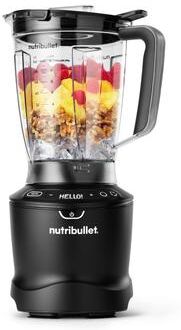
Similar search terms for Nutribullet-Pro-Blender-Combo
Top-Angebote
Products related to Nutribullet-Pro-Blender-Combo:
-
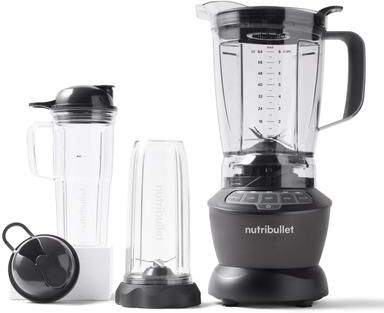
Nutribullet Flip Portable BlenderThe nutribullet Flip is a unique combination of a portable blender and an insulated tumbler. Its stainless steel cup keeps contents cold for up to 24 hours, making it the perfect companion for road trips, gym sessions, and other thrilling adventures.104,99 $*Shipping: 0,00 $Secure redirect to the provider


-
Can you blend frozen fruits like bananas with a Nutribullet 600?
Yes, you can blend frozen fruits like bananas with a Nutribullet 600. The Nutribullet 600 is designed to handle frozen fruits and vegetables with ease, thanks to its powerful motor and sharp blades. Just make sure to cut the frozen bananas into smaller pieces before blending to ensure a smooth consistency. **
-
What is the Rengar combo?
The Rengar combo involves using his abilities in a specific order to maximize damage and burst potential. The combo typically starts with activating his ultimate ability, Thrill of the Hunt, to go into stealth and gain vision of nearby enemy champions. Then, Rengar leaps onto his target with his passive ability, Unseen Predator, followed by using his Q ability, Savagery, for an empowered auto attack. Finally, he can use his E ability, Bola Strike, to root the target in place and continue dealing damage. This combo allows Rengar to quickly eliminate priority targets in team fights or skirmishes. **
-
Is the Bild newspaper pro-CDU?
The Bild newspaper is generally considered to have a conservative editorial stance and has historically supported the Christian Democratic Union (CDU) in Germany. However, it is important to note that the newspaper's coverage can be influenced by various factors and may not always align completely with the CDU's agenda. While Bild may lean towards the CDU, it is not exclusively pro-CDU and covers a wide range of political perspectives and issues. **
-
Can a Bezier curve in Blender be deformed frame by frame?
Yes, a Bezier curve in Blender can be deformed frame by frame. This can be achieved by keyframing the control points of the Bezier curve at different frames to create the desired deformation. By adjusting the position, rotation, and scale of the control points over time, you can create smooth and dynamic deformations of the Bezier curve in your animation. **


How can I 3D print a Blender project?
To 3D print a Blender project, you first need to ensure that your model is correctly scaled and oriented for printing. Next, export your model as an STL file, which is a common file format used for 3D printing. You can do this by selecting 'File' > 'Export' > 'Stl (.stl)'. Finally, import the STL file into your preferred slicing software, such as Cura or Simplify3D, to generate the G-code necessary for your 3D printer to create the physical object. Make sure to adjust settings such as layer height, infill density, and print speed to achieve the desired quality and strength of your printed model. **
How can I 3D print a Blender file?
To 3D print a Blender file, you first need to ensure that your model is correctly prepared for 3D printing. This includes checking for any errors, making sure the size is appropriate, and adding supports if needed. Once your model is ready, you can export it as an STL file from Blender. Then, you can use slicing software such as Cura or PrusaSlicer to prepare the file for your specific 3D printer. Finally, load the sliced file onto your 3D printer and start the printing process. **
Top-Angebote
Products related to Nutribullet-Pro-Blender-Combo:
-
Are there pixel errors in AMD Pro Render for Blender?
Yes, there have been reports of pixel errors in AMD Pro Render for Blender. These errors can occur when rendering images, and they may manifest as small, discolored pixels or artifacts in the final output. It is important to note that pixel errors can be caused by a variety of factors, including hardware compatibility, driver issues, or software bugs. Users experiencing pixel errors in AMD Pro Render for Blender should consider updating their graphics drivers and checking for any available software updates to address the issue. **
-
Can Blender be used well on the MacBook Pro 2022?
Yes, Blender can be used well on the MacBook Pro 2022. The MacBook Pro 2022 is equipped with the powerful M1 Pro or M1 Max chip, which provides excellent performance for running demanding applications like Blender. The combination of the powerful chip, high-resolution display, and advanced cooling system makes the MacBook Pro 2022 a great choice for 3D modeling, rendering, and animation tasks in Blender. Additionally, the macOS version of Blender is optimized for the M1 chip, ensuring smooth and efficient performance on the MacBook Pro 2022. **
-
Can you blend frozen fruits like bananas with a Nutribullet 600?
Yes, you can blend frozen fruits like bananas with a Nutribullet 600. The Nutribullet 600 is designed to handle frozen fruits and vegetables with ease, thanks to its powerful motor and sharp blades. Just make sure to cut the frozen bananas into smaller pieces before blending to ensure a smooth consistency. **
-
What is the Rengar combo?
The Rengar combo involves using his abilities in a specific order to maximize damage and burst potential. The combo typically starts with activating his ultimate ability, Thrill of the Hunt, to go into stealth and gain vision of nearby enemy champions. Then, Rengar leaps onto his target with his passive ability, Unseen Predator, followed by using his Q ability, Savagery, for an empowered auto attack. Finally, he can use his E ability, Bola Strike, to root the target in place and continue dealing damage. This combo allows Rengar to quickly eliminate priority targets in team fights or skirmishes. **
Similar search terms for Nutribullet-Pro-Blender-Combo
-
Nutribullet Flip Portable BlenderThe nutribullet Flip is a unique combination of a portable blender and an insulated tumbler. Its stainless steel cup keeps contents cold for up to 24 hours, making it the perfect companion for road trips, gym sessions, and other thrilling adventures.104,99 $*Shipping: 0,00 $Secure redirect to the provider
-
Is the Bild newspaper pro-CDU?
The Bild newspaper is generally considered to have a conservative editorial stance and has historically supported the Christian Democratic Union (CDU) in Germany. However, it is important to note that the newspaper's coverage can be influenced by various factors and may not always align completely with the CDU's agenda. While Bild may lean towards the CDU, it is not exclusively pro-CDU and covers a wide range of political perspectives and issues. **
-
Can a Bezier curve in Blender be deformed frame by frame?
Yes, a Bezier curve in Blender can be deformed frame by frame. This can be achieved by keyframing the control points of the Bezier curve at different frames to create the desired deformation. By adjusting the position, rotation, and scale of the control points over time, you can create smooth and dynamic deformations of the Bezier curve in your animation. **
-
How can I 3D print a Blender project?
To 3D print a Blender project, you first need to ensure that your model is correctly scaled and oriented for printing. Next, export your model as an STL file, which is a common file format used for 3D printing. You can do this by selecting 'File' > 'Export' > 'Stl (.stl)'. Finally, import the STL file into your preferred slicing software, such as Cura or Simplify3D, to generate the G-code necessary for your 3D printer to create the physical object. Make sure to adjust settings such as layer height, infill density, and print speed to achieve the desired quality and strength of your printed model. **
-
How can I 3D print a Blender file?
To 3D print a Blender file, you first need to ensure that your model is correctly prepared for 3D printing. This includes checking for any errors, making sure the size is appropriate, and adding supports if needed. Once your model is ready, you can export it as an STL file from Blender. Then, you can use slicing software such as Cura or PrusaSlicer to prepare the file for your specific 3D printer. Finally, load the sliced file onto your 3D printer and start the printing process. **
* All prices are inclusive of VAT and, if applicable, plus shipping costs. The offer information is based on the details provided by the respective shop and is updated through automated processes. Real-time updates do not occur, so deviations can occur in individual cases. ** Note: Parts of this content were created by AI.