Buy bild24.eu ?
We are moving the project
bild24.eu .
Are you interested in purchasing the domain
bild24.eu ?
domain@kv-gmbh.de · 0541-91531010
Buy bild24.eu ?
What does the laser printer print?
A laser printer prints text and images by using a laser beam to create an electrostatic image on a photosensitive drum. The toner, a powdered ink, is then attracted to the charged areas on the drum and transferred onto the paper. The paper is then heated to fuse the toner onto the page, resulting in a high-quality printed document. **
How does the laser printer print?
A laser printer uses a laser beam to create an electrostatic image on a photosensitive drum inside the printer. The drum then attracts toner particles to the charged areas, forming the desired image. The toner is then transferred onto the paper and fused onto it using heat and pressure, resulting in a high-quality printout. This process is repeated for each color in a color laser printer to produce full-color prints. **

Similar search terms for Laser
Top-Angebote
Products related to Laser:
-
Multicon Wholesale Hub Red Laser Line Generator Sawmill Alignment Laser Locator Red Laser Line Generator Sawmill Alignment Laser LocatorMake every cut feel cleaner, straighter, and more controlled. This red laser line generator projects a clear red guide line to help woodworkers, sawmill operators, machinists, and crafters align materials with greater confidence. Built with a 650nm...89,97 $*Shipping: 0,00 $Secure redirect to the provider
-
Drop Dash Deals Red Line Laser Module W Adjustable Laser Positioning Tool Red Line Laser Module W Adjustable Laser Positioning ToolGet cleaner, straighter work with a bright alignment guide you can trust. This 1 pc of laser module projects a visible red line to help makers, technicians, woodworkers, tailors, and workshop users position cuts or markings with better control....75,97 $*Shipping: 0,00 $Secure redirect to the provider
-
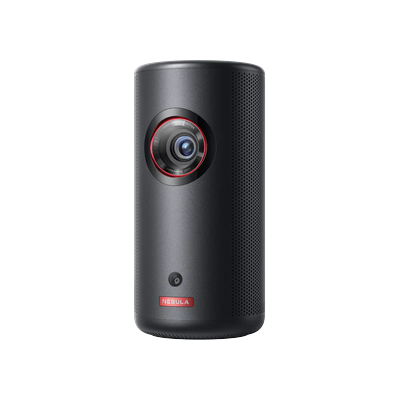
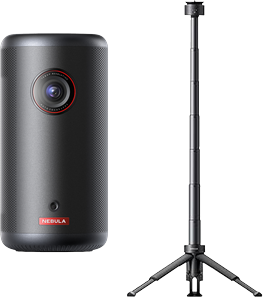
soundcore Nebula Capsule 3 Laser Laser-Powered Mini ProjectorCorporate Projectors & VIP Gifts. Click for Volume Pricing >>> Laser Engine to Illuminate Your World: Experience vibrant visuals with this laser projector, featuring a laser light source delivering 300 ANSI Lumens of brightness in 1080p HD, ensuring...559,99 $*Shipping: 0,00 $Secure redirect to the provider
-
Top Demand Picks HOTO Smart Laser Measure Pro, Rechargeable Laser Ruler With LED Display, Intelligent Digital Laser Tape Measure & Range HOTO Smart Laser Measure Pro, Rechargeable Laser Ruler With LED Display, Intelligent Digital Laser Tape Measure & RangTired of fumbling with clumsy, outdated tape measures Step into the future of measuring with the HOTO Smart Laser Measure Pro. This isn't just another tool; it's your intelligent partner for achieving flawless precision with incredible ease. Whether...199,97 $*Shipping: 0,00 $Secure redirect to the provider


-
Why does the laser printer print faintly?
A laser printer may print faintly due to several reasons, such as low toner levels, dirty or damaged printer components, incorrect printer settings, or a faulty imaging drum. If the toner cartridge is running low, it may not be able to distribute enough toner onto the paper, resulting in faint prints. Additionally, if the printer components like the corona wire or fuser are dirty or damaged, they may not function properly, leading to faint prints. Regular maintenance and replacing worn-out parts can help resolve this issue. **
-
Where can one print something with a laser printer?
One can print something with a laser printer at various locations such as office supply stores like Staples or FedEx Office, local print shops, libraries, and some universities or colleges may have laser printers available for student use. Additionally, many people have laser printers at home or in their workplaces for personal or professional use. **
-
How does the laser printer print uniform black stripes?
A laser printer prints uniform black stripes by using a laser beam to draw an electrostatic image of the stripe onto a photosensitive drum. The drum is then coated with toner, which is attracted to the charged areas created by the laser. The toner is transferred onto the paper and fused using heat to create the final printed stripe. This process ensures that the black stripes are consistent and uniform in color and thickness across the printed page. **
-
How can one print borderless with a laser printer?
To print borderless with a laser printer, you need to ensure that your printer supports borderless printing. Check the printer specifications or manual to confirm this feature. Next, adjust the print settings on your computer to select the borderless printing option. Make sure to choose the correct paper size and type that is compatible with borderless printing. Finally, load the paper into the printer tray properly and start the printing process. **

How can you print borderless with a laser printer?
To print borderless with a laser printer, you will need to ensure that your printer supports borderless printing. Check the printer specifications or manual to confirm this feature. Next, adjust the print settings on your computer to select the borderless printing option. Make sure to choose the correct paper size and type that is compatible with borderless printing. Finally, load the paper into the printer tray according to the printer's instructions and start the printing process. **
Can laser printers only print in black and white?
No, laser printers are capable of printing in both black and white and color. Many laser printers are designed to print in color, and they use a combination of toner cartridges to produce a wide range of colors. Laser printers are known for their high-quality color printing and are commonly used in offices and businesses for producing professional-looking documents and marketing materials. **
Top-Angebote
Products related to Laser:
-
Inspired Deals Smart Laser Measure 40m Bluetooth Laser Distance Meter Smart Laser Measure 40m Bluetooth Laser Distance MeterMeasure rooms, furniture, and project spaces with confidence using this compact laser rangefinder built for fast, reliable results. With a 0.0540m measuring range and precision up to 3mm, it helps homeowners, renovators, designers, and professionals...71,97 $*Shipping: 0,00 $Secure redirect to the provider
-
soundcore Nebula Capsule 3 Laser | Laser-Powered Mini Projector Nebula Capsule 3 LaserLaser Engine to Illuminate Your World: Experience vibrant visuals with this laser projector, featuring a laser light source delivering 300 ANSI Lumens of brightness in 1080p HD, ensuring your images stay bright and clear. Travel Light, Project Big:...749,99 $*Shipping: 0,00 $Secure redirect to the provider
-
Multicon Wholesale Hub Red Laser Line Generator Sawmill Alignment Laser Locator Red Laser Line Generator Sawmill Alignment Laser LocatorMake every cut feel cleaner, straighter, and more controlled. This red laser line generator projects a clear red guide line to help woodworkers, sawmill operators, machinists, and crafters align materials with greater confidence. Built with a 650nm...89,97 $*Shipping: 0,00 $Secure redirect to the provider
-
Drop Dash Deals Red Line Laser Module W Adjustable Laser Positioning Tool Red Line Laser Module W Adjustable Laser Positioning ToolGet cleaner, straighter work with a bright alignment guide you can trust. This 1 pc of laser module projects a visible red line to help makers, technicians, woodworkers, tailors, and workshop users position cuts or markings with better control....75,97 $*Shipping: 0,00 $Secure redirect to the provider
-
What does the laser printer print?
A laser printer prints text and images by using a laser beam to create an electrostatic image on a photosensitive drum. The toner, a powdered ink, is then attracted to the charged areas on the drum and transferred onto the paper. The paper is then heated to fuse the toner onto the page, resulting in a high-quality printed document. **
-
How does the laser printer print?
A laser printer uses a laser beam to create an electrostatic image on a photosensitive drum inside the printer. The drum then attracts toner particles to the charged areas, forming the desired image. The toner is then transferred onto the paper and fused onto it using heat and pressure, resulting in a high-quality printout. This process is repeated for each color in a color laser printer to produce full-color prints. **
-
Why does the laser printer print faintly?
A laser printer may print faintly due to several reasons, such as low toner levels, dirty or damaged printer components, incorrect printer settings, or a faulty imaging drum. If the toner cartridge is running low, it may not be able to distribute enough toner onto the paper, resulting in faint prints. Additionally, if the printer components like the corona wire or fuser are dirty or damaged, they may not function properly, leading to faint prints. Regular maintenance and replacing worn-out parts can help resolve this issue. **
-
Where can one print something with a laser printer?
One can print something with a laser printer at various locations such as office supply stores like Staples or FedEx Office, local print shops, libraries, and some universities or colleges may have laser printers available for student use. Additionally, many people have laser printers at home or in their workplaces for personal or professional use. **
Similar search terms for Laser
-
soundcore Nebula Capsule 3 Laser Laser-Powered Mini ProjectorCorporate Projectors & VIP Gifts. Click for Volume Pricing >>> Laser Engine to Illuminate Your World: Experience vibrant visuals with this laser projector, featuring a laser light source delivering 300 ANSI Lumens of brightness in 1080p HD, ensuring...559,99 $*Shipping: 0,00 $Secure redirect to the provider
-
Top Demand Picks HOTO Smart Laser Measure Pro, Rechargeable Laser Ruler With LED Display, Intelligent Digital Laser Tape Measure & Range HOTO Smart Laser Measure Pro, Rechargeable Laser Ruler With LED Display, Intelligent Digital Laser Tape Measure & RangTired of fumbling with clumsy, outdated tape measures Step into the future of measuring with the HOTO Smart Laser Measure Pro. This isn't just another tool; it's your intelligent partner for achieving flawless precision with incredible ease. Whether...199,97 $*Shipping: 0,00 $Secure redirect to the provider
-
soundcore Nebula Capsule 3 Laser Laser-Powered Mini ProjectorCorporate Projectors & VIP Gifts. Click for Volume Pricing >>> Laser Engine to Illuminate Your World: Experience vibrant visuals with this laser projector, featuring a laser light source delivering 300 ANSI Lumens of brightness in 1080p HD, ensuring...639,99 $*Shipping: 0,00 $Secure redirect to the provider
-
soundcore Nebula Capsule 3 Laser Laser-Powered Mini ProjectorCorporate Projectors & VIP Gifts. Click for Volume Pricing >>> Laser Engine to Illuminate Your World: Experience vibrant visuals with this laser projector, featuring a laser light source delivering 300 ANSI Lumens of brightness in 1080p HD, ensuring...589,99 $*Shipping: 0,00 $Secure redirect to the provider
-
How does the laser printer print uniform black stripes?
A laser printer prints uniform black stripes by using a laser beam to draw an electrostatic image of the stripe onto a photosensitive drum. The drum is then coated with toner, which is attracted to the charged areas created by the laser. The toner is transferred onto the paper and fused using heat to create the final printed stripe. This process ensures that the black stripes are consistent and uniform in color and thickness across the printed page. **
-
How can one print borderless with a laser printer?
To print borderless with a laser printer, you need to ensure that your printer supports borderless printing. Check the printer specifications or manual to confirm this feature. Next, adjust the print settings on your computer to select the borderless printing option. Make sure to choose the correct paper size and type that is compatible with borderless printing. Finally, load the paper into the printer tray properly and start the printing process. **
-
How can you print borderless with a laser printer?
To print borderless with a laser printer, you will need to ensure that your printer supports borderless printing. Check the printer specifications or manual to confirm this feature. Next, adjust the print settings on your computer to select the borderless printing option. Make sure to choose the correct paper size and type that is compatible with borderless printing. Finally, load the paper into the printer tray according to the printer's instructions and start the printing process. **
-
Can laser printers only print in black and white?
No, laser printers are capable of printing in both black and white and color. Many laser printers are designed to print in color, and they use a combination of toner cartridges to produce a wide range of colors. Laser printers are known for their high-quality color printing and are commonly used in offices and businesses for producing professional-looking documents and marketing materials. **
* All prices are inclusive of VAT and, if applicable, plus shipping costs. The offer information is based on the details provided by the respective shop and is updated through automated processes. Real-time updates do not occur, so deviations can occur in individual cases. ** Note: Parts of this content were created by AI.