Buy bild24.eu ?
We are moving the project
bild24.eu .
Are you interested in purchasing the domain
bild24.eu ?
domain@kv-gmbh.de · 0541-91531010
Buy bild24.eu ?
What is the difference between the HP Tilt and the HP Pen?
The HP Tilt and the HP Pen are both digital stylus pens designed for use with HP devices, but they have some key differences. The HP Tilt is designed with a unique tilt function that allows for shading and angle-sensitive effects, making it ideal for digital artists and designers. On the other hand, the HP Pen is a more standard stylus pen without the tilt function, making it suitable for general note-taking and drawing tasks. Additionally, the HP Tilt may offer more advanced features and compatibility with specific HP devices, while the HP Pen is a more basic and universal option. **
Is the Logitech ergonomic mouse MX Vertical suitable for gaming?
The Logitech ergonomic mouse MX Vertical is not specifically designed for gaming. While it offers ergonomic benefits for reducing wrist strain and promoting a more natural hand position, its vertical design may not be ideal for fast-paced gaming that requires quick and precise movements. Gamers may prefer a traditional gaming mouse with a more standard shape and features optimized for gaming performance. **


Similar search terms for HP-Tilt-Ergonomic-Mouse
Top-Angebote
Products related to HP-Tilt-Ergonomic-Mouse:
-
HP 150 – Wireless Mouse (3 Buttons, Ergonomic, USB-A, 2.4 GHz), Black, NewThis item offers wireless connectivity via USB-A and is compatible with Windows 10. It has dimensions of 10.5 x 6 x 3.2 cm. Reliable Precision: Featuring a 1600 DPI optical sensor, this optical mouse delivers accurate performance on a wide range of surfaces. You can conveniently carry it in your backpack alongside your laptop and use it wherever you go. What's Included: The package contains the HP 150 wireless mouse, a key, an AA battery, a quick start guide, a product note, a warranty card, as well as R.E.D and RTF cards.14,90 £*Shipping: 0,00 £Secure redirect to the provider
-
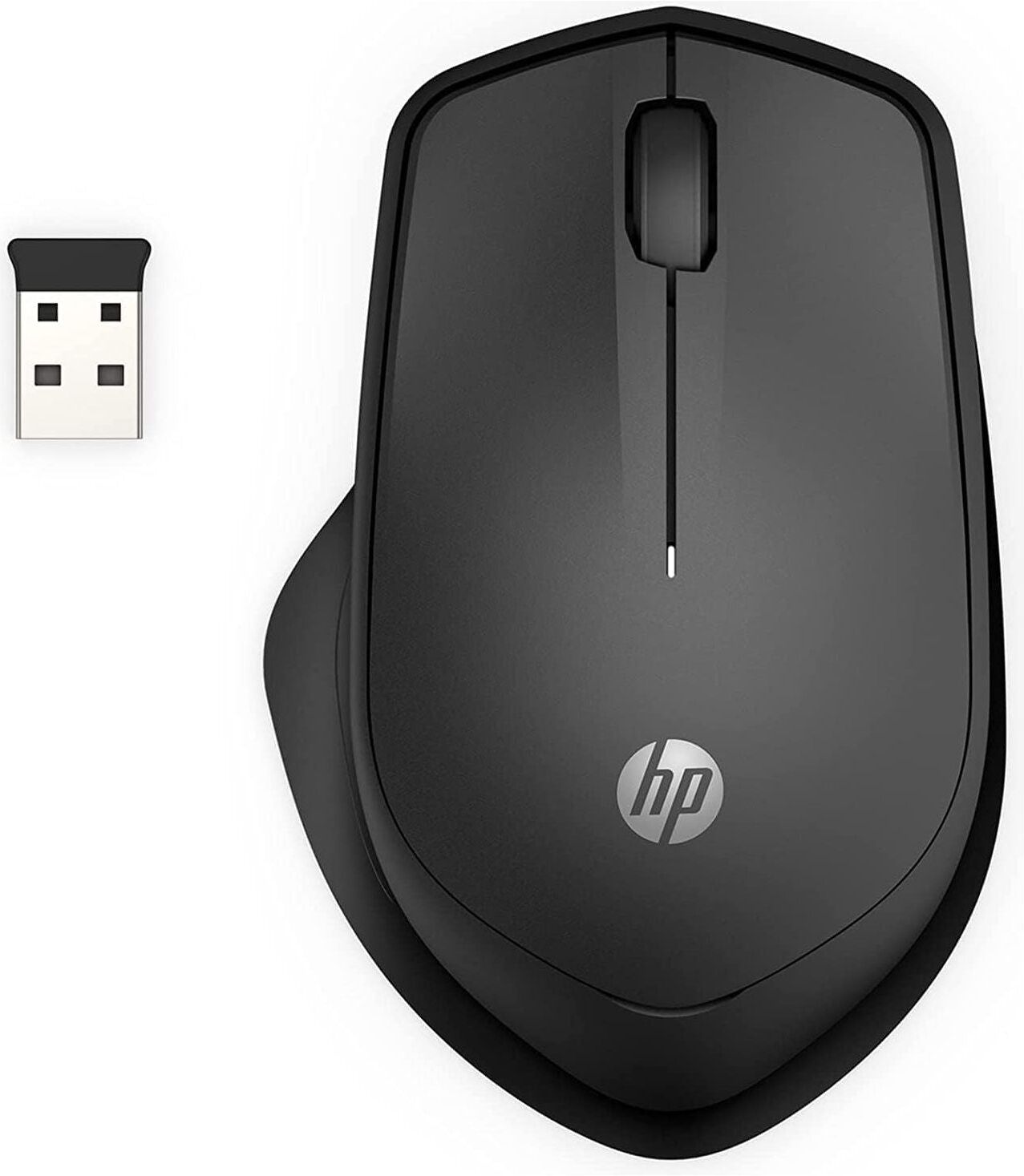
HP 280 Silent Wireless Mouse - Blue Optical Technology, 1600 DPI, Ergonomic Design, USB-A Dongle, Black, NewHP 280 Silent Wireless Mouse - Blue Optical Technology, 1600 DPI, Ergonomic Design, USB-A Dongle, Black Overview The HP 280 Silent Wireless Mouse is designed for a quiet and efficient computing experience, making it ideal for both work and home use. Featuring advanced Blue Optical Technology, it delivers precise tracking on various surfaces with a 1600 DPI sensor for smooth and responsive performance. The ergonomic design ensures comfort during extended use, while the wireless connectivity via a USB-A dongle provides reliable and hassle-free operation. With a silent click mechanism, this mouse reduces noise without compromising functionality, offering a seamless and distraction-free experience. Key Features: Silent click technology for a quieter and more comfortable experience Blue Optical Technology for smooth tracking on different surfaces 1600 DPI sensor for accurate and responsive movement Ergonomic design to support comfortable usage for long hours Reliable wireless connectivity via USB-A dongle Compact and lightweight for easy portability Long battery life for extended usage without frequent replacements Product Description The HP 280 Silent Wireless Mouse offers a superior combination of performance, comfort, and convenience. Equipped with Blue Optical Technology, it provides precise tracking on a variety of surfaces, making it suitable for home, office, and travel use. The 1600 DPI sensor ensures smooth and accurate cursor movement, enhancing productivity and efficiency. Designed with an ergonomic shape, this mouse supports natural hand positioning, reducing strain during prolonged use. The silent click feature minimizes noise, making it perfect for quiet environments such as shared workspaces, libraries, and late-night browsing. Wireless connectivity through the USB-A dongle ensures a stable and interference-free connection, eliminating the hassle of tangled wires. With a sleek black finish and a lightweight build, the HP 280 Silent Wireless Mouse is both stylish and portable. Its energy-efficient design offers long battery life, allowing uninterrupted usage without frequent battery changes. Whether for everyday tasks, professional work, or casual browsing, this mouse delivers a comfortable and silent experience. Silent click technology for noise-free operation Blue Optical Technology for enhanced tracking accuracy 1600 DPI sensor for smooth and responsive movement Ergonomic design for all-day comfort Wireless connectivity with a USB-A dongle for reliable performance Compact, lightweight, and easy to carry Long battery life for extended use Stylish black finish, perfect for home, office, or travel The HP 280 Silent Wireless Mouse is the perfect choice for users looking for a silent, precise, and ergonomic mouse that delivers high performance with minimal noise.14,99 £*Shipping: 0,00 £Secure redirect to the provider
-
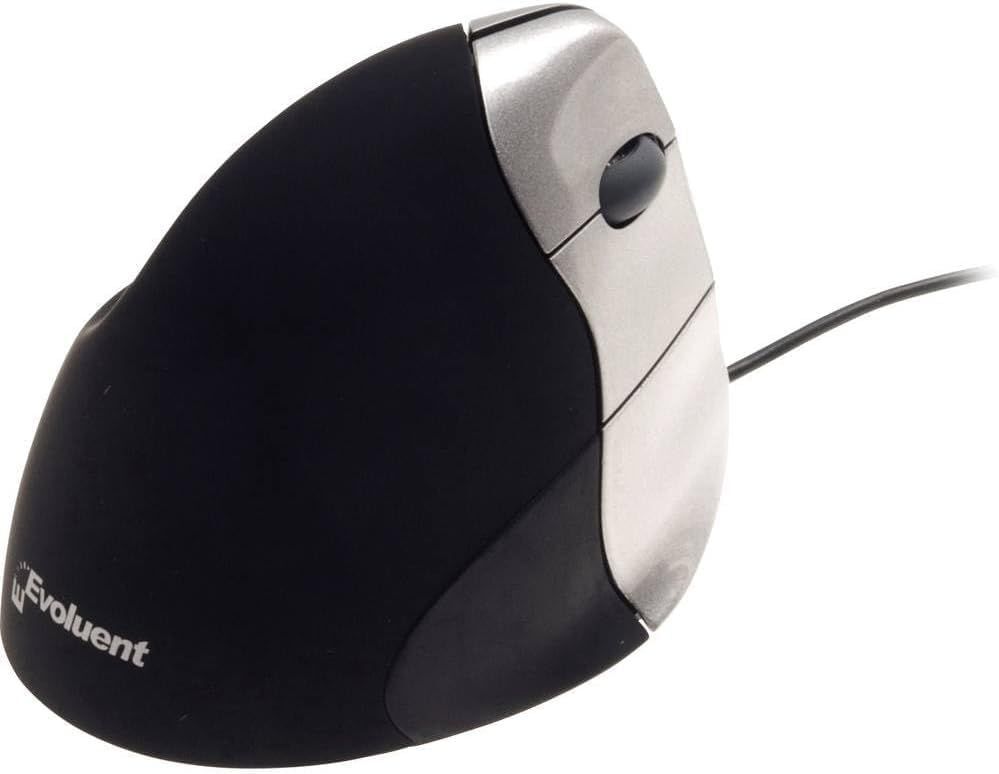
Evoluent Right Handed Vertical Mouse 3 Ergonomic Mouse, Used - GoodOverview The Evoluent Right Handed VerticalMouse 3 is a premium ergonomic mouse designed to reduce forearm pronation and wrist strain for all-day comfort. Tailored for right-handed users, its vertical form supports a natural handshake position that helps improve posture and minimise discomfort during long working sessions. With precise optical tracking and convenient buttons, this ergonomic mouse combines health-focused design with everyday practicality. Key Features • Ergonomic vertical design for reduced wrist strain and improved comfort • Right-handed orientation with sculpted grip for natural hand posture • Precise USB optical tracking for accurate cursor control • Adjustable pointer speed to suit different tasks and preferences • Durable build with high-quality switches for long-lasting performance • Simple plug-and-play functionality — no software required • Ideal for office, home PC setups and extended computer use Benefits Customers choose the Evoluent VerticalMouse 3 for reduced wrist fatigue and enhanced comfort, especially during prolonged computer use. Its thoughtfully contoured right-handed design supports a healthier hand position that can alleviate repetitive strain and discomfort associated with conventional mice. Whether for professional work, gaming or everyday tasks, this ergonomic mouse delivers reliable precision and a more natural feel that helps make computing more comfortable and productive. Specifications Feature Detail Model VerticalMouse 3 Orientation Right-Handed Connection USB Tracking Optical Buttons Multiple ergonomic control buttons Pointer Speeds Adjustable Compatibility Windows, macOS (plug-and-play) Colour Black (typical) Warranty Manufacturer’s standard (varies by region) Weight Approx. standard ergonomic mouse weight Dimensions Ergonomic vertical footprint54,89 £*Shipping: 0,00 £Secure redirect to the provider
-
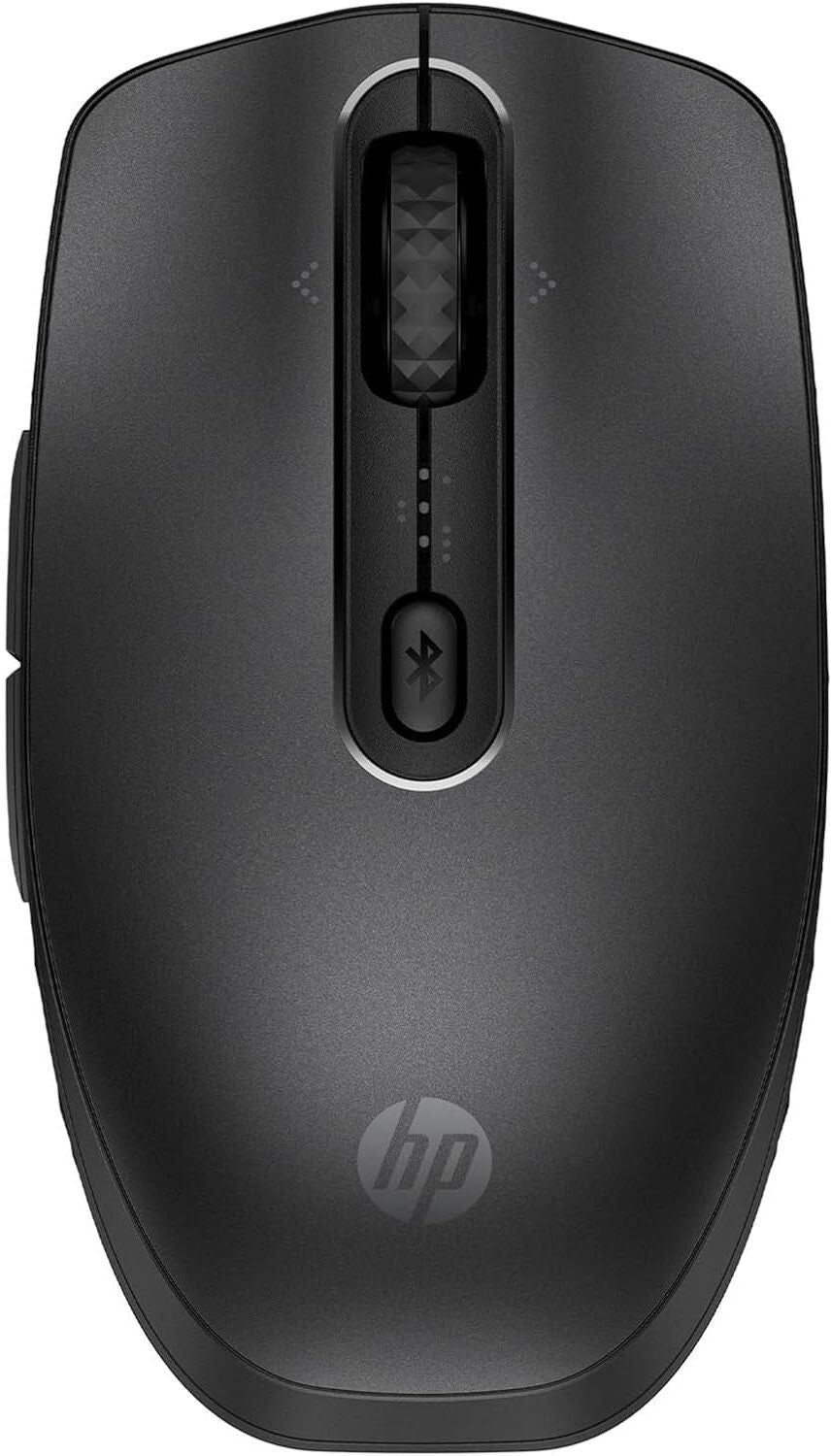
HP 690 Qi-Charging Wireless Mouse – Bluetooth, 4000 DPI, 6 Programmable Buttons, 4D Tilt Wheel, AES Security, Compatible with PC, Mac & Chrome – BlackOverview: The HP 690 Qi-Charging Wireless Mouse offers convenient wireless connectivity with Qi wireless charging support, ensuring a clutter-free workspace. Featuring Bluetooth connectivity, a high-precision 4000 DPI sensor, and 6 programmable buttons, this mouse is designed for productivity and precision. Compatible with PC, Mac, and Chrome devices, it combines functionality with security. Key Features: Qi wireless charging for hassle-free power replenishment Bluetooth connectivity for reliable wireless performance 4000 DPI optical sensor for precise tracking Six programmable buttons customizable for your workflow 4D tilt wheel for enhanced navigation and scrolling AES encryption for secure wireless communication Compatible with PC, Mac, and Chrome devices Sleek black design for a professional look Product Description: The HP 690 Qi-Charging Wireless Mouse is engineered for users seeking a versatile and secure mouse solution. Its Qi wireless charging eliminates the need for cables, while Bluetooth connectivity offers seamless pairing across multiple platforms. The 4000 DPI sensor delivers accurate and smooth cursor control, and programmable buttons let you tailor your mouse to specific tasks. Enhanced security with AES encryption protects your data during wireless transmission. Ideal for professionals and everyday users alike.39,99 £*Shipping: 0,00 £Secure redirect to the provider

-
Why does the racing mouse tilt its head?
The racing mouse tilts its head to help it navigate and stay on course while running through the maze. By tilting its head, the mouse can better assess the direction it needs to go and make quick adjustments to its path. This head tilting behavior is a natural instinct that helps the mouse use its whiskers to sense its surroundings and avoid obstacles, ultimately improving its chances of winning the race. **
-
How useful are air purifiers, humidifiers, ergonomic mouse keyboards, and chairs?
Air purifiers can be very useful in improving indoor air quality by removing pollutants and allergens. Humidifiers can help to maintain a comfortable level of humidity in the air, which can be beneficial for respiratory health and skin hydration. Ergonomic mouse keyboards and chairs can help to reduce the risk of musculoskeletal disorders and improve overall comfort and productivity, especially for those who spend long hours at a desk. Overall, these products can be very useful in creating a healthier and more comfortable indoor environment. **
-
Which mouse, an ergonomic or a symmetrical gaming mouse, is better for aiming and what are the advantages and disadvantages of each?
An ergonomic gaming mouse is generally better for aiming as it is designed to fit the natural contours of the hand, providing comfort and reducing strain during long gaming sessions. The ergonomic shape allows for a more precise grip and control, which can enhance aiming accuracy. However, some disadvantages of ergonomic mice include limited options for left-handed users and potentially less flexibility in grip styles. On the other hand, a symmetrical gaming mouse can be more versatile for different grip styles and is suitable for both left and right-handed users. However, the symmetrical design may not offer the same level of comfort and support as an ergonomic mouse, which could impact aiming precision during extended use. Ultimately, the choice between an ergonomic and symmetrical gaming mouse for aiming will depend on individual preferences and comfort levels. **
-
Which mouse is better for aiming, an ergonomic or a symmetrical gaming mouse, and what are the advantages and disadvantages of each?
For aiming, a symmetrical gaming mouse is generally considered better due to its ambidextrous design, allowing for more precise and consistent movements for both left and right-handed users. The advantage of an ergonomic mouse is its comfort and support for long gaming sessions, but it may not offer the same level of precision for aiming. However, it ultimately comes down to personal preference and what feels most comfortable and natural for the individual user. **


Which mouse is better for aiming, an ergonomic one or a symmetrical gaming mouse, and what are the advantages and disadvantages of each?
When it comes to aiming, a symmetrical gaming mouse is often preferred over an ergonomic one. Symmetrical mice provide a more balanced grip and allow for more precise movements, making them ideal for aiming in fast-paced games. However, ergonomic mice are designed for comfort during long gaming sessions, which can reduce fatigue and strain on the hand and wrist. Ultimately, the choice between the two depends on personal preference and the specific needs of the user. **
Can you tilt or tilt objects in Minecraft?
Yes, in Minecraft, players can tilt or rotate certain objects such as item frames, paintings, and maps. By right-clicking on these objects, players can change their orientation to fit their desired placement or design. This feature allows for more customization and creativity in building and decorating in the game. However, not all objects can be tilted or rotated, so players should experiment with different items to see what can be adjusted. **
Top-Angebote
Products related to HP-Tilt-Ergonomic-Mouse:
-
HP Tilt Ergonomic Mouse 720M Rechargeable Wireless + Bluetooth Mouse Ultra-fast Rechargeable Supercapacitor 1 Month Usage from a 3-Minute Charge 7 Programmable Buttons 6000 DPI Sensor Black.gadcet-pdp{--g-green:#00a651;color:#1f2430;line-height:1.55;font-size:inherit;max-width:760px}.gadcet-pdp>*:first-child{margin-top:0}.gadcet-pdp p{margin:0 0.9em}.gadcet-pdp h3{font-size:1.05em;font-weight:600;color:#11161f;margin:1.4em 0.5em;padding-left:.5em;border-left:3px solid var(--g-green);border-radius:0;line-height:1.3}.gadcet-pdp ul{list-style:none!important;margin:0 0.9em;padding:0!important}.gadcet-pdp ul li{position:relative;padding:.1em 0.1em 1.5em;margin:0}.gadcet-pdp ul li::before{content:"";position:absolute;left:.16em;top:.45em;width:.36em;height:.66em;border:solid var(--g-green);border-width:0.14em.14em 0;transform:rotate(45deg)}.gadcet-pdp table{width:100%;border-collapse:collapse;margin:.3em 0 1em;font-size:.95em;border:1px solid #e7e9ee!important;border-radius:8px;overflow:hidden}.gadcet-pdp table td{padding:.5em.8em;border-bottom:1px solid #eef0f4!important;vertical-align:top}.gadcet-pdp table tr:last-child td{border-bottom:0!important}.gadcet-pdp table tr:nth-child(even){background:#f7f9f8}.gadcet-pdp table td:first-child{font-weight:600;color:#454c59;width:40%}@media (max-width:600px){.gadcet-pdp table td:first-child{width:42%}} Work in comfort all day with the HP 720M Tilt Ergonomic Mouse – a rechargeable wireless mouse with a 21-degree semi-vertical tilt that supports a more natural hand position while keeping the familiar feel of a standard mouse. Key Features 21-degree semi-vertical tilt design for a more natural hand position Finger, wrist and palm support for lasting comfort HP Comfort Silicone for a smooth, comfortable grip Ultra-fast rechargeable supercapacitor – 1 month of usage from a 3-minute charge Connect via Bluetooth or HP Unifying Dongle 7 programmable buttons to streamline your workflow 6000 DPI sensor for precise tracking Tilt wheel for vertical and horizontal scrolling Benefits Stay productive without feeling worn down, even during long sessions Minimal charging downtime – a quick 3-minute top-up lasts up to a month Flexible connectivity with Bluetooth or the HP Unifying Dongle Programmable shortcuts help you work faster with fewer clicks Specifications Brand HP Model 720M Tilt Ergonomic Mouse Connectivity Wireless – Bluetooth or HP Unifying Dongle Charging Rechargeable supercapacitor – 1 month usage from a 3-minute charge Buttons 7 programmable buttons Sensor 6000 DPI Colour Black Condition New What You'll Receive HP 720M Tilt Ergonomic Rechargeable Wireless Mouse in Black (new) Ideal For Perfect for office professionals, hybrid workers and anyone spending long hours at a desk who wants ergonomic comfort without switching to a fully vertical mouse.49,99 £*Shipping: 0,00 £Secure redirect to the provider
-
HP 480 Comfort Bluetooth Mouse – Black (Multi-Device, Ergonomic, Quiet Clicks)Overview The HP 480 Comfort Bluetooth Mouse is a premium ergonomic mouse designed for smooth productivity across multiple devices. With the ability to connect to up to 3 devices, a precision 4000 DPI sensor, and a versatile 4D scroll wheel, it delivers seamless navigation for work, study, and everyday use. Featuring quiet clicks, soft side grips, and 6 programmable buttons, it’s built for comfort and efficiency whether you're using Windows 10/11 or macOS. Key Features Connect to up to 3 devices via Bluetooth for easy switching Ergonomic comfort design with soft side grips 6 programmable buttons for customised shortcuts and productivity 4D scroll wheel for smooth vertical + horizontal scrolling Precision 4000 DPI sensor for accurate cursor control Quiet clicks ideal for offices, meetings, and shared spaces Reliable wireless performance for clutter-free desktops Compatible with Windows 10, Windows 11 and macOS Benefits The HP 480 Comfort Mouse enhances everyday productivity by allowing you to switch between devices effortlessly — perfect for users working across a laptop, desktop, and tablet. The ergonomic shape reduces strain during long sessions, while programmable buttons speed up workflows. Quiet clicks keep noise low in professional environments, and the 4D scroll wheel makes navigating large spreadsheets and documents easier and faster. Specifications Specification Details Brand HP Model 480 Comfort Bluetooth Mouse Colour Black Connectivity Bluetooth (multi-device) Multi-Device Pairing Up to 3 devices Buttons 6 programmable buttons Scroll Wheel 4D (vertical + horizontal scrolling) DPI Up to 4000 DPI Grip Soft side grips Click Type Quiet clicks Compatibility Windows 10/11, macOS Use Productivity / Office / Home32,00 £*Shipping: 0,00 £Secure redirect to the provider
-
HP 150 – Wireless Mouse (3 Buttons, Ergonomic, USB-A, 2.4 GHz), Black, NewThis item offers wireless connectivity via USB-A and is compatible with Windows 10. It has dimensions of 10.5 x 6 x 3.2 cm. Reliable Precision: Featuring a 1600 DPI optical sensor, this optical mouse delivers accurate performance on a wide range of surfaces. You can conveniently carry it in your backpack alongside your laptop and use it wherever you go. What's Included: The package contains the HP 150 wireless mouse, a key, an AA battery, a quick start guide, a product note, a warranty card, as well as R.E.D and RTF cards.14,90 £*Shipping: 0,00 £Secure redirect to the provider
-
HP 280 Silent Wireless Mouse - Blue Optical Technology, 1600 DPI, Ergonomic Design, USB-A Dongle, Black, NewHP 280 Silent Wireless Mouse - Blue Optical Technology, 1600 DPI, Ergonomic Design, USB-A Dongle, Black Overview The HP 280 Silent Wireless Mouse is designed for a quiet and efficient computing experience, making it ideal for both work and home use. Featuring advanced Blue Optical Technology, it delivers precise tracking on various surfaces with a 1600 DPI sensor for smooth and responsive performance. The ergonomic design ensures comfort during extended use, while the wireless connectivity via a USB-A dongle provides reliable and hassle-free operation. With a silent click mechanism, this mouse reduces noise without compromising functionality, offering a seamless and distraction-free experience. Key Features: Silent click technology for a quieter and more comfortable experience Blue Optical Technology for smooth tracking on different surfaces 1600 DPI sensor for accurate and responsive movement Ergonomic design to support comfortable usage for long hours Reliable wireless connectivity via USB-A dongle Compact and lightweight for easy portability Long battery life for extended usage without frequent replacements Product Description The HP 280 Silent Wireless Mouse offers a superior combination of performance, comfort, and convenience. Equipped with Blue Optical Technology, it provides precise tracking on a variety of surfaces, making it suitable for home, office, and travel use. The 1600 DPI sensor ensures smooth and accurate cursor movement, enhancing productivity and efficiency. Designed with an ergonomic shape, this mouse supports natural hand positioning, reducing strain during prolonged use. The silent click feature minimizes noise, making it perfect for quiet environments such as shared workspaces, libraries, and late-night browsing. Wireless connectivity through the USB-A dongle ensures a stable and interference-free connection, eliminating the hassle of tangled wires. With a sleek black finish and a lightweight build, the HP 280 Silent Wireless Mouse is both stylish and portable. Its energy-efficient design offers long battery life, allowing uninterrupted usage without frequent battery changes. Whether for everyday tasks, professional work, or casual browsing, this mouse delivers a comfortable and silent experience. Silent click technology for noise-free operation Blue Optical Technology for enhanced tracking accuracy 1600 DPI sensor for smooth and responsive movement Ergonomic design for all-day comfort Wireless connectivity with a USB-A dongle for reliable performance Compact, lightweight, and easy to carry Long battery life for extended use Stylish black finish, perfect for home, office, or travel The HP 280 Silent Wireless Mouse is the perfect choice for users looking for a silent, precise, and ergonomic mouse that delivers high performance with minimal noise.14,99 £*Shipping: 0,00 £Secure redirect to the provider
-
What is the difference between the HP Tilt and the HP Pen?
The HP Tilt and the HP Pen are both digital stylus pens designed for use with HP devices, but they have some key differences. The HP Tilt is designed with a unique tilt function that allows for shading and angle-sensitive effects, making it ideal for digital artists and designers. On the other hand, the HP Pen is a more standard stylus pen without the tilt function, making it suitable for general note-taking and drawing tasks. Additionally, the HP Tilt may offer more advanced features and compatibility with specific HP devices, while the HP Pen is a more basic and universal option. **
-
Is the Logitech ergonomic mouse MX Vertical suitable for gaming?
The Logitech ergonomic mouse MX Vertical is not specifically designed for gaming. While it offers ergonomic benefits for reducing wrist strain and promoting a more natural hand position, its vertical design may not be ideal for fast-paced gaming that requires quick and precise movements. Gamers may prefer a traditional gaming mouse with a more standard shape and features optimized for gaming performance. **
-
Why does the racing mouse tilt its head?
The racing mouse tilts its head to help it navigate and stay on course while running through the maze. By tilting its head, the mouse can better assess the direction it needs to go and make quick adjustments to its path. This head tilting behavior is a natural instinct that helps the mouse use its whiskers to sense its surroundings and avoid obstacles, ultimately improving its chances of winning the race. **
-
How useful are air purifiers, humidifiers, ergonomic mouse keyboards, and chairs?
Air purifiers can be very useful in improving indoor air quality by removing pollutants and allergens. Humidifiers can help to maintain a comfortable level of humidity in the air, which can be beneficial for respiratory health and skin hydration. Ergonomic mouse keyboards and chairs can help to reduce the risk of musculoskeletal disorders and improve overall comfort and productivity, especially for those who spend long hours at a desk. Overall, these products can be very useful in creating a healthier and more comfortable indoor environment. **
Similar search terms for HP-Tilt-Ergonomic-Mouse
-
Evoluent Right Handed Vertical Mouse 3 Ergonomic Mouse, Used - GoodOverview The Evoluent Right Handed VerticalMouse 3 is a premium ergonomic mouse designed to reduce forearm pronation and wrist strain for all-day comfort. Tailored for right-handed users, its vertical form supports a natural handshake position that helps improve posture and minimise discomfort during long working sessions. With precise optical tracking and convenient buttons, this ergonomic mouse combines health-focused design with everyday practicality. Key Features • Ergonomic vertical design for reduced wrist strain and improved comfort • Right-handed orientation with sculpted grip for natural hand posture • Precise USB optical tracking for accurate cursor control • Adjustable pointer speed to suit different tasks and preferences • Durable build with high-quality switches for long-lasting performance • Simple plug-and-play functionality — no software required • Ideal for office, home PC setups and extended computer use Benefits Customers choose the Evoluent VerticalMouse 3 for reduced wrist fatigue and enhanced comfort, especially during prolonged computer use. Its thoughtfully contoured right-handed design supports a healthier hand position that can alleviate repetitive strain and discomfort associated with conventional mice. Whether for professional work, gaming or everyday tasks, this ergonomic mouse delivers reliable precision and a more natural feel that helps make computing more comfortable and productive. Specifications Feature Detail Model VerticalMouse 3 Orientation Right-Handed Connection USB Tracking Optical Buttons Multiple ergonomic control buttons Pointer Speeds Adjustable Compatibility Windows, macOS (plug-and-play) Colour Black (typical) Warranty Manufacturer’s standard (varies by region) Weight Approx. standard ergonomic mouse weight Dimensions Ergonomic vertical footprint54,89 £*Shipping: 0,00 £Secure redirect to the provider
-
HP 690 Qi-Charging Wireless Mouse – Bluetooth, 4000 DPI, 6 Programmable Buttons, 4D Tilt Wheel, AES Security, Compatible with PC, Mac & Chrome – BlackOverview: The HP 690 Qi-Charging Wireless Mouse offers convenient wireless connectivity with Qi wireless charging support, ensuring a clutter-free workspace. Featuring Bluetooth connectivity, a high-precision 4000 DPI sensor, and 6 programmable buttons, this mouse is designed for productivity and precision. Compatible with PC, Mac, and Chrome devices, it combines functionality with security. Key Features: Qi wireless charging for hassle-free power replenishment Bluetooth connectivity for reliable wireless performance 4000 DPI optical sensor for precise tracking Six programmable buttons customizable for your workflow 4D tilt wheel for enhanced navigation and scrolling AES encryption for secure wireless communication Compatible with PC, Mac, and Chrome devices Sleek black design for a professional look Product Description: The HP 690 Qi-Charging Wireless Mouse is engineered for users seeking a versatile and secure mouse solution. Its Qi wireless charging eliminates the need for cables, while Bluetooth connectivity offers seamless pairing across multiple platforms. The 4000 DPI sensor delivers accurate and smooth cursor control, and programmable buttons let you tailor your mouse to specific tasks. Enhanced security with AES encryption protects your data during wireless transmission. Ideal for professionals and everyday users alike.39,99 £*Shipping: 0,00 £Secure redirect to the provider
-
Razer Basilisk V3 Pro 35K Wireless Gaming Mouse – White – Ergonomic, Fully Customisable, 35K Optical Sensor, Chroma RGB, Tilt Wheel, 13 Programmable ControlsOverview The Ring Floodlight Cam Wired Pro is a powerful outdoor security camera designed to protect your home day and night. Combining crisp Full HD 1080p video with advanced motion detection and ultra-bright LED floodlights, it delivers clear visibility, accurate alerts, and active deterrence in one sleek, hardwired unit. Built for reliable, always-on protection, it integrates seamlessly with the Ring app and the wider Ring ecosystem. Key Features Full HD 1080p video with colour night vision for clear footage after dark Advanced motion detection with precise alerts and customisable motion zones Two ultra-bright LED floodlights to illuminate large outdoor areas Built-in siren for active security and deterrence Two-way talk with Audio+ for clear communication via the Ring app Hardwired installation for continuous power and dependable performance Real-time notifications to your smartphone, tablet, or PC Works with Alexa for voice control and smart home integration Benefits The Floodlight Cam Wired Pro offers dependable, professional-grade home security without the complexity of a full CCTV system. Its powerful lighting and intelligent motion detection help deter intruders before incidents occur, while high-quality video and audio provide clear evidence when it matters most. Always-on wired power means no batteries to change, making it a low-maintenance, long-term security solution for your property. Specifications Table Specification Details Product Name Ring Floodlight Cam Wired Pro Video Resolution Full HD 1080p Night Vision Colour night vision with LED floodlights Motion Detection Advanced motion detection with custom zones Audio Two-way talk with Audio+ Siren Built-in security siren Connectivity Wi-Fi Power Hardwired (mains powered) Weather Resistance Suitable for outdoor use Colour White Compatibility Ring app, Alexa-enabled devices119,99 £*Shipping: 0,00 £Secure redirect to the provider
-
Logitech Lift Left Vertical Ergonomic Mouse – GraphiteOverview The Logitech Lift Left Vertical Ergonomic Mouse in Graphite is a left-handed wireless mouse designed to reduce wrist strain and enhance comfort during long computing sessions. Featuring a natural vertical grip, quiet clicks and versatile connectivity via Bluetooth or Logi Bolt USB receiver, this ergonomic mouse delivers precision control and productivity for everyday use on Windows, macOS and iPadOS devices. Key Features Left-handed ergonomic vertical design to support natural hand posture Wireless connectivity via Bluetooth or Logi Bolt USB receiver Quiet click buttons for distraction-free use Four programmable buttons for navigation and custom shortcuts High-precision optical sensor for smooth tracking Compatible with Windows, macOS and iPadOS Long battery life for all-day use Compact, comfortable shape ideal for extended work sessions Graphite finish for a sleek, modern look Easy setup with plug-and-play simplicity Benefits The Logitech Lift Left Vertical Ergonomic Mouse is engineered to promote a more natural hand position, helping to reduce wrist and forearm strain associated with prolonged mouse use. Its vertical orientation supports ergonomic alignment, making it ideal for users who experience discomfort with traditional flat mice. With quiet clicks and responsive tracking, this mouse ensures a smooth, focused experience whether you’re working, studying or browsing. Dual connectivity via Bluetooth or the included Logi Bolt USB receiver provides flexibility across laptops, desktops and tablets. Four programmable buttons allow you to customise shortcuts for enhanced workflow efficiency, and compatibility with major operating systems ensures seamless integration across your devices. The graphite finish adds a refined touch to any workspace while maintaining Logitech’s renowned build quality. Specifications Table Specification Details Brand Logitech Model Lift Left Vertical Ergonomic Mouse Colour Graphite Connectivity Bluetooth, Logi Bolt USB receiver Buttons 4 programmable buttons Hand Orientation Left-handed ergonomic vertical design Sensor High-precision optical sensor Compatibility Windows, macOS, iPadOS Battery Long-life (AA battery included / rechargeable options vary by region) Click Noise Quiet clicks Setup Plug-and-play Dimensions Ergonomic compact design Weight Lightweight, balanced for comfort64,99 £*Shipping: 0,00 £Secure redirect to the provider
-
Which mouse, an ergonomic or a symmetrical gaming mouse, is better for aiming and what are the advantages and disadvantages of each?
An ergonomic gaming mouse is generally better for aiming as it is designed to fit the natural contours of the hand, providing comfort and reducing strain during long gaming sessions. The ergonomic shape allows for a more precise grip and control, which can enhance aiming accuracy. However, some disadvantages of ergonomic mice include limited options for left-handed users and potentially less flexibility in grip styles. On the other hand, a symmetrical gaming mouse can be more versatile for different grip styles and is suitable for both left and right-handed users. However, the symmetrical design may not offer the same level of comfort and support as an ergonomic mouse, which could impact aiming precision during extended use. Ultimately, the choice between an ergonomic and symmetrical gaming mouse for aiming will depend on individual preferences and comfort levels. **
-
Which mouse is better for aiming, an ergonomic or a symmetrical gaming mouse, and what are the advantages and disadvantages of each?
For aiming, a symmetrical gaming mouse is generally considered better due to its ambidextrous design, allowing for more precise and consistent movements for both left and right-handed users. The advantage of an ergonomic mouse is its comfort and support for long gaming sessions, but it may not offer the same level of precision for aiming. However, it ultimately comes down to personal preference and what feels most comfortable and natural for the individual user. **
-
Which mouse is better for aiming, an ergonomic one or a symmetrical gaming mouse, and what are the advantages and disadvantages of each?
When it comes to aiming, a symmetrical gaming mouse is often preferred over an ergonomic one. Symmetrical mice provide a more balanced grip and allow for more precise movements, making them ideal for aiming in fast-paced games. However, ergonomic mice are designed for comfort during long gaming sessions, which can reduce fatigue and strain on the hand and wrist. Ultimately, the choice between the two depends on personal preference and the specific needs of the user. **
-
Can you tilt or tilt objects in Minecraft?
Yes, in Minecraft, players can tilt or rotate certain objects such as item frames, paintings, and maps. By right-clicking on these objects, players can change their orientation to fit their desired placement or design. This feature allows for more customization and creativity in building and decorating in the game. However, not all objects can be tilted or rotated, so players should experiment with different items to see what can be adjusted. **
* All prices are inclusive of VAT and, if applicable, plus shipping costs. The offer information is based on the details provided by the respective shop and is updated through automated processes. Real-time updates do not occur, so deviations can occur in individual cases. ** Note: Parts of this content were created by AI.