Buy bild24.eu ?
We are moving the project
bild24.eu .
Are you interested in purchasing the domain
bild24.eu ?
domain@kv-gmbh.de · 0541-91531010
Buy bild24.eu ?
How can you print folding cards in Word 2010?
To print folding cards in Word 2010, you can create a custom page size for your card by going to the Page Layout tab, selecting Size, and then More Paper Sizes. Here, you can set the dimensions for your folding card. Next, design the front and inside of your card on the page. To print, go to File, Print, and select the appropriate printer and settings. Make sure to choose the option to print on both sides of the paper if you want the design to appear on both the front and inside of the card. **
How to create a poster print in Word 2010?
To create a poster print in Word 2010, start by opening a new, blank document. Then, go to the "Page Layout" tab and select "Size" to choose the dimensions for your poster. Next, go to "Insert" and add text, images, and other elements to your poster. You can also use WordArt and shapes to create visually appealing designs. Once you're satisfied with your poster, go to "File" and select "Print" to choose your printer and print settings. Make sure to select the appropriate paper size and quality for your poster print. **
Similar search terms for 2010
Top-Angebote
Products related to 2010:
-
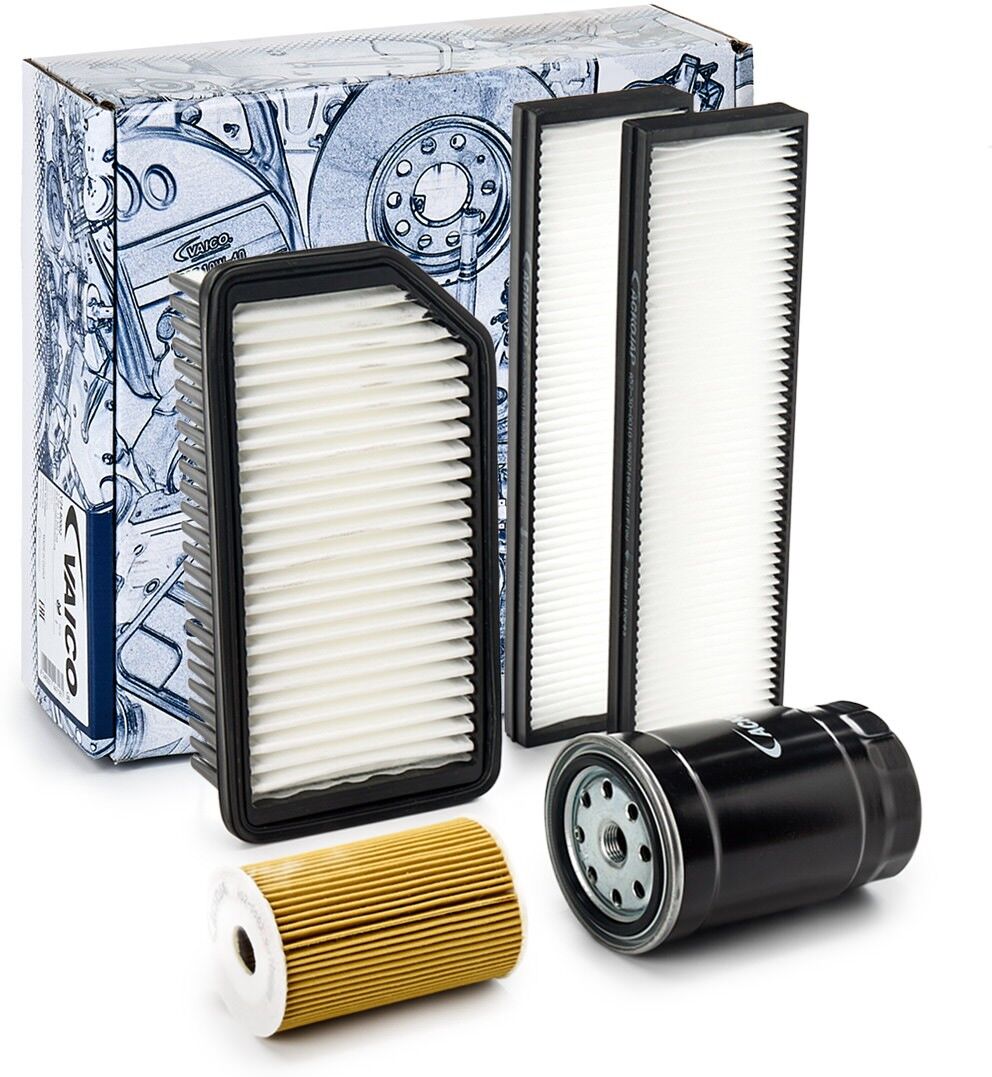
GATES 05-2010 Radiator hoseMaterial: EPDM (ethylene propylene diene Monomer (M-class) rubber); Colour: black; Hose Length [mm]: 294; Inner Diameter 1 [mm]: 29,5; Inner Diameter 2 [mm]: 29,5; Observe broschure: ; Fitting Position: Upper; Construction Year to: 12/2011, 05/20137,29 £*Shipping: 8,45 £Secure redirect to the provider
-
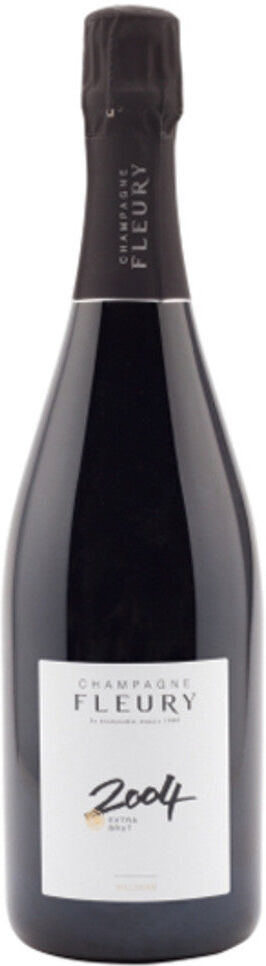
Champagne Extra Brut Fleury 2010The Extra Brut Champagne from Fleury is an emblematic synthesis of richness and tension, the result of a 10-year aging on the lees. Patience is a virtue that has never been lacking at Fleury, where the cuvées are released to the market only after a proper resting period on the fine lees and only when they are ready to be enjoyed. A serious and transversal approach, but also a pioneering outlook, has allowed the Fleury family to convert all their family vineyards to biodynamics as far back as 1989, paving the way for numerous local producers. 15 hectares of vineyard in Cote Des Bars or Aube, an area long overlooked but now highly valued for the quality, especially of the Pinot Noir produced here, in addition to some Chardonnay. Expressive purity, tension, and substance are the main assets of these multifaceted nectars, absolutely essential in the cellar of genre lovers. The Extra Brut from Fleury is made from a blend predominantly of Pinot Noir and the remaining part of Chardonnay, with grapes coming from 25-year-old vines and cultivated in biodynamics. Everything from the manual grape harvest to the winemaking phase takes place without forced interventions. After a careful selection of the grapes, the musts obtained for the base wines ferment partly in oak barrels and partly in enamelled tanks. Bottle refermentation according to the classic method and aging of 10 years on the lees. The Champagne Fleury Extra Brut reveals itself in the glass with a bright golden hue and a fine, persistent bubble. First sniff and immediately chalky slashes, notes of flint and lime. Then verbena, thyme, and hawthorn, in a sensual whirlwind. If the nose is already a small masterpiece in itself, the tasting dispels any doubt: we have a champion in the glass. Crystal clarity, a sparkling slab of salt and freshness, balanced by the comforting creaminess due to the long aging. Long finish, reminiscent of the sea. It can be enjoyed right away, without a doubt, but it will surely benefit from aging in the bottle, which will renew its complexity. Stunning!87,00 £*Shipping: 48,00 £Secure redirect to the provider
-
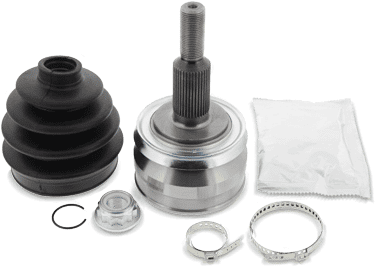
FEBEST 2010-MAGA96 CV joint kitFitting Position: Wheel Side, Front Axle; External Toothing wheel side: 27; Internal Toothing wheel side: 30; Seal Ring Diameter [mm]: 62; Number of Teeth, ABS ring: 96; Outer Diameter [mm]: 80; Supplementary Article / Supplementary Info Info 2: with ABS sensor ring; Quantity: 1; Packaging length [cm]: 20,5; Packaging width [cm]: 10,5; Packaging height [cm]: 10,5; Model Year from: 2007, 2006, 2005, 2008, 2009, 2014; Model Year to: 2010, 2007, 2008, 2005, 2006, 2014, 2015, 2009; Construction Year from: 05/200997,49 £*Shipping: 8,45 £Secure redirect to the provider



-
How do I print a Power Point 2010 presentation?
To print a PowerPoint 2010 presentation, first open the presentation you want to print. Then, go to the "File" tab and select "Print" from the menu. In the Print menu, you can choose the printer you want to use, the number of copies, and other printing options. Once you have selected your printing preferences, click on the "Print" button to print your PowerPoint presentation. **
-
How can I print text upside down in Word 2010?
In Word 2010, you can print text upside down by using WordArt. First, go to the "Insert" tab and click on "WordArt" to select a style. Then, type your text and format it as desired. Next, right-click on the WordArt text and select "Format Shape." Under the "3-D Rotation" tab, you can adjust the X and Y rotation to flip the text upside down. Finally, you can print the document with the upside-down text. **
-
How can you print large letters without margins in Word 2010?
To print large letters without margins in Word 2010, you can adjust the size of the font to make it larger. First, select the text you want to enlarge, then go to the "Home" tab and choose a larger font size from the drop-down menu. Additionally, you can adjust the margins to be as small as possible by going to the "Page Layout" tab, selecting "Margins," and choosing "Narrow" or setting custom margins. Finally, before printing, make sure to preview the document to ensure the text fits on the page without any margins. **
-
What is Skyrim 2010?
Skyrim 2010 is not a specific game title. The Elder Scrolls V: Skyrim was released in 2011, not 2010. Skyrim is an open-world action role-playing game developed by Bethesda Game Studios. It is set in the fictional province of Skyrim and follows the player's character as they navigate a world filled with dragons, magic, and various quests. The game received critical acclaim for its expansive world, immersive gameplay, and rich storytelling. **

How can I print an email without the thread in Outlook 2010?
To print an email without the thread in Outlook 2010, you can follow these steps: 1. Open the email you want to print. 2. Click on the "File" tab in the top left corner. 3. Select "Print" from the menu. 4. In the Print dialog box, under the "Print Options" section, uncheck the box next to "Print attached files" and "Print all pages of the email". 5. Click on the "Print" button to print only the email without the thread. **
How can one print large letters without a border in Word 2010?
To print large letters without a border in Word 2010, you can use the WordArt feature. First, go to the "Insert" tab and click on "WordArt" in the Text group. Choose a style for your large letters and type in the text. Then, click on the "Format" tab that appears when you have the WordArt selected, and under the "WordArt Styles" group, click on "Text Fill" and choose "No Fill" to remove the background color. Finally, adjust the size of the WordArt to make the letters larger and print the document. **
Top-Angebote
Products related to 2010:
-
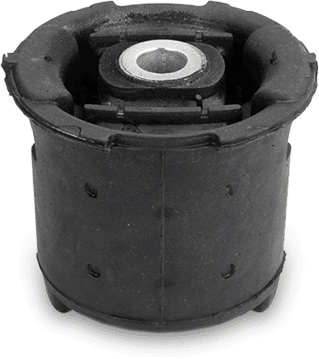
REINHOCH RH20-2010 Axle bushInner length [mm]: 82; Inner Diameter [mm]: 16,8; Outer Diameter [mm]: 71,5; for OE number: 5131.A4; Length [mm]: 82; Thickness: 82; Fitting Position: Rear Axle; Construction Year from: 01/2004, 06/2005, 05/2005, 01/2005; Vehicle Equipment: for vehicles without diesel particulate filter (DPF), for vehicles with diesel particulate filter (DPF); Construction Year to: 05/2005; Engine Code: DW10ATED; for RPO number up to: 10660 77; Production date to: 10/1013,99 £*Shipping: 8,45 £Secure redirect to the provider
-
GATES 05-2010 Radiator hoseMaterial: EPDM (ethylene propylene diene Monomer (M-class) rubber); Colour: black; Hose Length [mm]: 294; Inner Diameter 1 [mm]: 29,5; Inner Diameter 2 [mm]: 29,5; Observe broschure: ; Fitting Position: Upper; Construction Year to: 12/2011, 05/20137,29 £*Shipping: 8,45 £Secure redirect to the provider
-
How can you print folding cards in Word 2010?
To print folding cards in Word 2010, you can create a custom page size for your card by going to the Page Layout tab, selecting Size, and then More Paper Sizes. Here, you can set the dimensions for your folding card. Next, design the front and inside of your card on the page. To print, go to File, Print, and select the appropriate printer and settings. Make sure to choose the option to print on both sides of the paper if you want the design to appear on both the front and inside of the card. **
-
How to create a poster print in Word 2010?
To create a poster print in Word 2010, start by opening a new, blank document. Then, go to the "Page Layout" tab and select "Size" to choose the dimensions for your poster. Next, go to "Insert" and add text, images, and other elements to your poster. You can also use WordArt and shapes to create visually appealing designs. Once you're satisfied with your poster, go to "File" and select "Print" to choose your printer and print settings. Make sure to select the appropriate paper size and quality for your poster print. **
-
How do I print a Power Point 2010 presentation?
To print a PowerPoint 2010 presentation, first open the presentation you want to print. Then, go to the "File" tab and select "Print" from the menu. In the Print menu, you can choose the printer you want to use, the number of copies, and other printing options. Once you have selected your printing preferences, click on the "Print" button to print your PowerPoint presentation. **
-
How can I print text upside down in Word 2010?
In Word 2010, you can print text upside down by using WordArt. First, go to the "Insert" tab and click on "WordArt" to select a style. Then, type your text and format it as desired. Next, right-click on the WordArt text and select "Format Shape." Under the "3-D Rotation" tab, you can adjust the X and Y rotation to flip the text upside down. Finally, you can print the document with the upside-down text. **
Similar search terms for 2010
-
Champagne Extra Brut Fleury 2010The Extra Brut Champagne from Fleury is an emblematic synthesis of richness and tension, the result of a 10-year aging on the lees. Patience is a virtue that has never been lacking at Fleury, where the cuvées are released to the market only after a proper resting period on the fine lees and only when they are ready to be enjoyed. A serious and transversal approach, but also a pioneering outlook, has allowed the Fleury family to convert all their family vineyards to biodynamics as far back as 1989, paving the way for numerous local producers. 15 hectares of vineyard in Cote Des Bars or Aube, an area long overlooked but now highly valued for the quality, especially of the Pinot Noir produced here, in addition to some Chardonnay. Expressive purity, tension, and substance are the main assets of these multifaceted nectars, absolutely essential in the cellar of genre lovers. The Extra Brut from Fleury is made from a blend predominantly of Pinot Noir and the remaining part of Chardonnay, with grapes coming from 25-year-old vines and cultivated in biodynamics. Everything from the manual grape harvest to the winemaking phase takes place without forced interventions. After a careful selection of the grapes, the musts obtained for the base wines ferment partly in oak barrels and partly in enamelled tanks. Bottle refermentation according to the classic method and aging of 10 years on the lees. The Champagne Fleury Extra Brut reveals itself in the glass with a bright golden hue and a fine, persistent bubble. First sniff and immediately chalky slashes, notes of flint and lime. Then verbena, thyme, and hawthorn, in a sensual whirlwind. If the nose is already a small masterpiece in itself, the tasting dispels any doubt: we have a champion in the glass. Crystal clarity, a sparkling slab of salt and freshness, balanced by the comforting creaminess due to the long aging. Long finish, reminiscent of the sea. It can be enjoyed right away, without a doubt, but it will surely benefit from aging in the bottle, which will renew its complexity. Stunning!87,00 £*Shipping: 48,00 £Secure redirect to the provider
-
FEBEST 2010-MAGA96 CV joint kitFitting Position: Wheel Side, Front Axle; External Toothing wheel side: 27; Internal Toothing wheel side: 30; Seal Ring Diameter [mm]: 62; Number of Teeth, ABS ring: 96; Outer Diameter [mm]: 80; Supplementary Article / Supplementary Info Info 2: with ABS sensor ring; Quantity: 1; Packaging length [cm]: 20,5; Packaging width [cm]: 10,5; Packaging height [cm]: 10,5; Model Year from: 2007, 2006, 2005, 2008, 2009, 2014; Model Year to: 2010, 2007, 2008, 2005, 2006, 2014, 2015, 2009; Construction Year from: 05/200997,49 £*Shipping: 8,45 £Secure redirect to the provider
-
How can you print large letters without margins in Word 2010?
To print large letters without margins in Word 2010, you can adjust the size of the font to make it larger. First, select the text you want to enlarge, then go to the "Home" tab and choose a larger font size from the drop-down menu. Additionally, you can adjust the margins to be as small as possible by going to the "Page Layout" tab, selecting "Margins," and choosing "Narrow" or setting custom margins. Finally, before printing, make sure to preview the document to ensure the text fits on the page without any margins. **
-
What is Skyrim 2010?
Skyrim 2010 is not a specific game title. The Elder Scrolls V: Skyrim was released in 2011, not 2010. Skyrim is an open-world action role-playing game developed by Bethesda Game Studios. It is set in the fictional province of Skyrim and follows the player's character as they navigate a world filled with dragons, magic, and various quests. The game received critical acclaim for its expansive world, immersive gameplay, and rich storytelling. **
-
How can I print an email without the thread in Outlook 2010?
To print an email without the thread in Outlook 2010, you can follow these steps: 1. Open the email you want to print. 2. Click on the "File" tab in the top left corner. 3. Select "Print" from the menu. 4. In the Print dialog box, under the "Print Options" section, uncheck the box next to "Print attached files" and "Print all pages of the email". 5. Click on the "Print" button to print only the email without the thread. **
-
How can one print large letters without a border in Word 2010?
To print large letters without a border in Word 2010, you can use the WordArt feature. First, go to the "Insert" tab and click on "WordArt" in the Text group. Choose a style for your large letters and type in the text. Then, click on the "Format" tab that appears when you have the WordArt selected, and under the "WordArt Styles" group, click on "Text Fill" and choose "No Fill" to remove the background color. Finally, adjust the size of the WordArt to make the letters larger and print the document. **
* All prices are inclusive of VAT and, if applicable, plus shipping costs. The offer information is based on the details provided by the respective shop and is updated through automated processes. Real-time updates do not occur, so deviations can occur in individual cases. ** Note: Parts of this content were created by AI.